Full-Text Search vs Vector Search
Full-text search matches exact keywords. Vector search matches meaning. Understanding when to use each (and when to combine them) is critical for building effective search and retrieval systems.
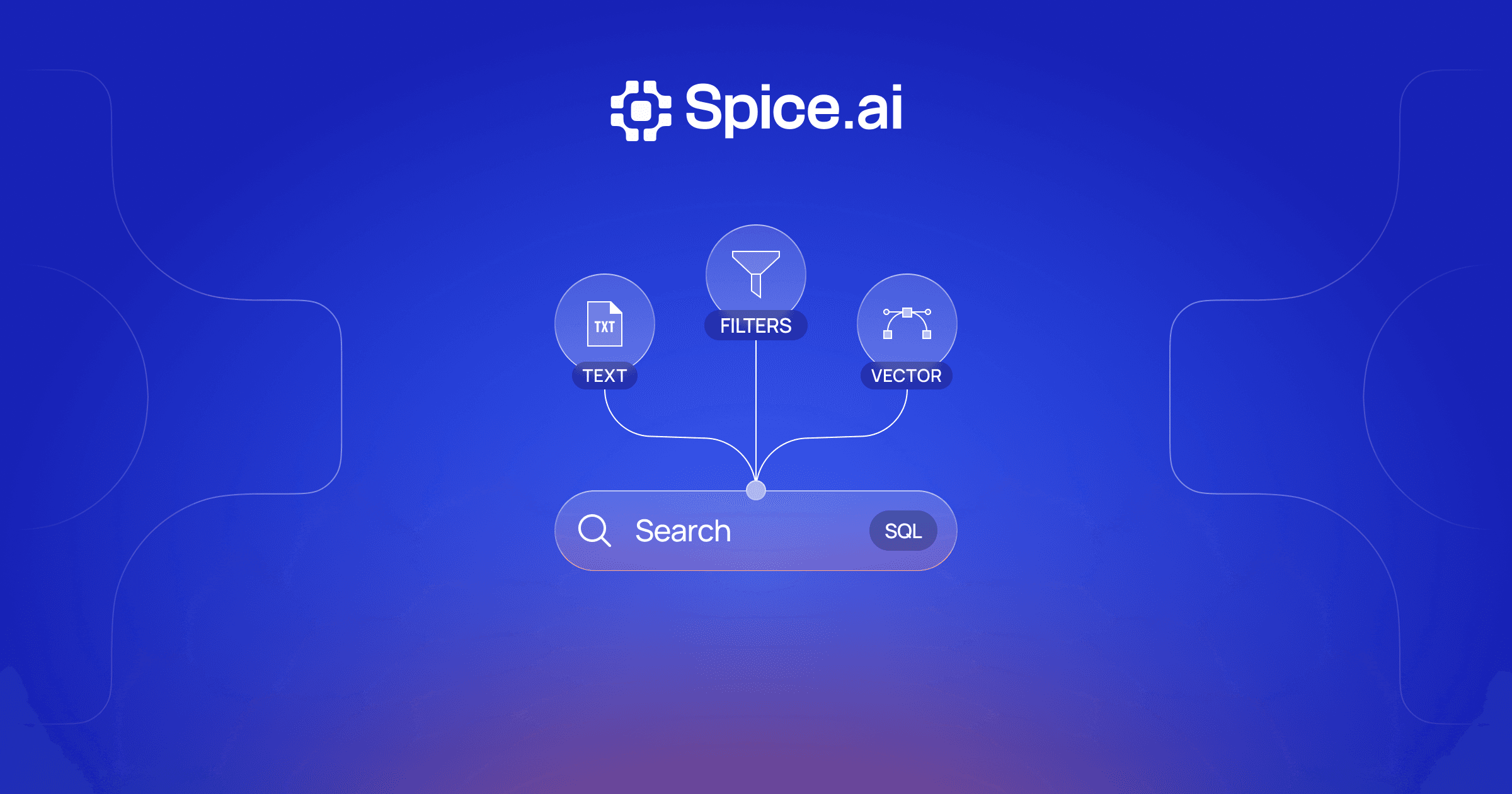
Full-text search finds an exact error code that vector search misses, and vector search finds a document written in different words that full-text search misses. Hybrid search runs both and fuses the two rankings with reciprocal rank fusion.
Full-text search and vector search solve the same fundamental problem (finding relevant information in a collection of documents), but they approach it from opposite directions. Full-text search looks for documents that contain the query's exact terms. Vector search looks for documents whose meaning is closest to the query's meaning, regardless of which words are used.
Neither approach is universally better. Each has strengths that correspond to the other's weaknesses, and understanding these tradeoffs is essential for choosing the right search strategy for your application. In many production systems, the answer is to use both through hybrid search.
How Full-Text Search Works
Full-text search uses an inverted index, a data structure that maps every unique term to the list of documents containing it. When a query arrives, the system looks up each query term in the inverted index, finds the documents that match, and scores them using a ranking function.
The standard ranking function is BM25 (Best Match 25), which scores documents based on three signals:
- Term frequency: How often the query term appears in the document (with diminishing returns for repeated occurrences)
- Inverse document frequency: How rare the term is across the entire corpus (rare terms are more informative)
- Document length normalization: Shorter documents with the same term count are typically more focused
Full-text search is fast, predictable, and interpretable. You can explain why a document ranked highly: it contained specific terms at specific frequencies. The inverted index enables sub-millisecond lookups even across millions of documents.
How Vector Search Works
Vector search converts both documents and queries into numerical vectors called embeddings: lists of floating-point numbers that encode semantic meaning. These embeddings are generated by machine learning models trained on large text corpora, where the model learns to place semantically similar text close together in high-dimensional space.
At query time, the search query is embedded into a vector using the same model, and the system finds the stored vectors closest to the query vector using a distance metric like cosine similarity. The result is a ranked list of documents ordered by semantic similarity to the query.
Vector search captures meaning rather than keywords. "How do I fix a slow API?" matches documents about "endpoint latency optimization" because both concepts map to nearby regions in the embedding space, even though they share no words.
Key Differences at a Glance
| Aspect | Full-Text Search (BM25) | Vector Search |
|---|---|---|
| What it matches | Exact terms and their variants | Semantic meaning |
| Index type | Inverted index (posting lists) | Vector index (HNSW, IVF) |
| Query "cancel subscription" | Matches docs containing "cancel" and "subscription" | Matches docs about account termination, ending service, etc. |
| Exact identifiers (error codes, product SKUs) | Precise match | Weak: may return generic related content |
| Synonym handling | None without manual expansion | Automatic: learned from training data |
| Scoring transparency | High: term weights are interpretable | Low: similarity scores are opaque |
| Storage per document | Posting list entries (compact) | Dense vector, typically 1-12 KB depending on dimensions |
| Index build cost | Low (tokenize and insert into posting lists) | Higher (generate embeddings via ML model, build ANN index) |
| Query latency | Sub-millisecond | Sub-millisecond to low milliseconds (ANN lookup) |
| Cold start | Works immediately with any text | Requires an embedding model and vector index |
Where Full-Text Search Excels
Full-text search is the stronger choice when:
- Queries contain exact identifiers. Product names, error codes, model numbers, API endpoints, and other precise identifiers need exact matching. Searching for "ERR-4502" should return documents about that specific error, not documents about errors in general.
- Domain-specific terminology matters. In legal, medical, or scientific contexts, precise terminology carries specific meaning. "Negligence" and "carelessness" are not interchangeable in a legal search.
- Users expect keyword behavior. When users put terms in quotes or use Boolean operators (AND, OR, NOT), they expect keyword-level precision.
- Interpretability is required. Full-text search can highlight exactly which terms matched and why a document scored highly. This is valuable for debugging search quality and for user-facing search interfaces that show match highlights.
- Infrastructure simplicity is a priority. Full-text search requires no ML models, no embedding generation pipeline, and no GPU infrastructure. An inverted index is fast to build and cheap to maintain.
Where Vector Search Excels
Vector search is the stronger choice when:
- Vocabulary mismatch is the primary challenge. Users describe problems in their own words, which rarely match the terminology in your documentation. "My app is crashing on startup" should find documents about "application initialization failures."
- Natural language questions drive search. Conversational queries like "how do I speed up my database queries?" express intent that keyword matching cannot capture.
- Cross-language or multi-modal search is needed. Multilingual embedding models can match queries in one language to documents in another. Multi-modal models can match text queries to images or code.
- Search powers an AI pipeline. In retrieval-augmented generation (RAG) and AI agent workflows, semantic retrieval finds the conceptually relevant context that the LLM needs to generate accurate answers.
- Content is unstructured and varied. Knowledge bases, support tickets, internal wikis, and Slack archives contain diverse language that benefits from semantic understanding over exact term matching.
When to Use Each: A Decision Framework
The right search approach depends on your query patterns, data characteristics, and application requirements.
Start with full-text search if:
- Your data has structured identifiers that users search for directly
- Query patterns are predictable and keyword-oriented
- You need a simple, low-maintenance search solution
- Match transparency is a requirement
Start with vector search if:
- Users ask natural language questions
- Vocabulary mismatch between queries and documents is common
- You are building RAG or AI-powered features
- Your content spans diverse topics and terminology
Use hybrid search if:
- Your queries include a mix of exact lookups and conceptual questions
- You cannot predict whether a given query will be keyword-oriented or semantic
- Retrieval accuracy is mission-critical (as in RAG, application search, or enterprise knowledge bases)
- You want the highest overall retrieval quality without compromising on either precision or recall
In practice, most production search applications benefit from hybrid search because real-world query traffic is a mix of all these patterns. A user might search for "ERR-4502 connection timeout", where the error code needs exact matching and "connection timeout" benefits from semantic understanding.
How Hybrid Search Combines Both
Hybrid search runs full-text search and vector search in parallel against the same query, then merges the results using a fusion algorithm. The most common fusion method is Reciprocal Rank Fusion (RRF), which scores each document based on its rank position in each result set rather than its raw score.
The process works in three steps:
- Parallel retrieval: The query is simultaneously processed by the BM25 inverted index and the vector index, producing two independent ranked result sets
- Score normalization: Because BM25 scores and cosine similarity scores are on different scales, they must be normalized before combining
- Rank fusion: RRF assigns each document a score of
1 / (k + rank)for each result set it appears in, sums these scores, and sorts by the combined score
Documents that rank highly in both result sets receive the highest combined scores. Documents that rank highly in only one set still appear in the final results, but lower in the ranking.
-- Hybrid search combining BM25 and vector search in Spice
SELECT * FROM search(
  'knowledge_base',
  'how to handle connection timeout errors',
  mode => 'hybrid',
  limit => 10
)
Hybrid search adds minimal latency over either method alone because the two searches execute concurrently. The fusion step is a lightweight rank-based operation that typically adds only a few milliseconds.
Advanced Topics
Embedding Model Selection and Its Impact on Search Quality
The quality of vector search depends heavily on the embedding model. General-purpose models like OpenAI's text-embedding-3-large or open-source models like bge-large-en-v1.5 work well across many domains, but domain-specific fine-tuning can significantly improve results.
Key considerations for embedding model selection:
- Dimensionality: Higher dimensions (1024-3072) capture more nuance but require more storage and compute. Lower dimensions (384-768) are faster and cheaper but may lose fine-grained distinctions.
- Training data: Models trained on code perform better for code search. Models trained on scientific papers perform better for research retrieval. General models are a reasonable default.
- Asymmetric vs. symmetric: Some models are trained for asymmetric search (short query vs. long document), while others are trained for symmetric similarity (similar-length passages). Choose based on your use case.
When vector search underperforms, the embedding model is often the bottleneck. Before adding complexity (re-ranking, query expansion), evaluate whether a better-suited embedding model improves baseline results.
Query Expansion and Reformulation
Full-text search can be improved without switching to vector search through query expansion: automatically adding related terms to the original query. Techniques include:
- Synonym expansion: Augmenting "car insurance" with "automobile insurance" and "vehicle coverage" using a synonym dictionary or thesaurus
- Pseudo-relevance feedback: Running the initial query, extracting frequent terms from the top results, and re-running the query with those terms added
- LLM-based reformulation: Using a language model to generate alternative phrasings of the query, then running all variations and merging results
Query expansion narrows the gap between full-text and vector search by addressing vocabulary mismatch at the query level rather than the index level. However, it increases query latency (multiple queries per search) and can introduce noise if expanded terms are imprecise.
Evaluation Metrics for Comparing Search Methods
Objectively comparing full-text and vector search requires standardized evaluation metrics:
- Recall@k: The fraction of relevant documents that appear in the top-k results. High recall means the system finds most relevant documents. This is critical for RAG, where missing a relevant document means the LLM lacks context.
- Precision@k: The fraction of top-k results that are actually relevant. High precision means fewer irrelevant results clutter the output.
- NDCG (Normalized Discounted Cumulative Gain): Measures ranking quality: not just whether relevant documents appear, but whether they appear near the top. NDCG penalizes relevant documents that rank lower more heavily.
- MRR (Mean Reciprocal Rank): The average of 1/rank for the first relevant result across a set of queries. Useful when users care most about the single best result.
When evaluating hybrid search against individual methods, measure all four metrics across a representative query set. Hybrid search typically improves recall@k significantly (by capturing both keyword and semantic matches) while maintaining or improving precision and NDCG.
How Spice Combines Both
Spice provides full-text search, vector search, and hybrid search in a single SQL-native runtime, eliminating the need to deploy and synchronize separate search systems.
With Spice, you can:
- Run BM25 and vector search in one query using a single
search()function with mode selection (fts,vector, orhybrid) - Combine search with SQL to filter results by metadata, join with relational data, and express complex retrieval logic, all in standard SQL
- Keep indexes fresh with real-time change data capture that updates both full-text and vector indexes as source data changes
- Search across federated sources using SQL federation to query data from 40+ connected sources without moving it into a separate search system
- Generate embeddings in the same runtime using built-in LLM inference, so embedding generation and search happen without external API calls
This unified approach is particularly valuable for application search and RAG use cases where teams would otherwise need to maintain a vector database, a search engine, and an application layer to combine their results. Spice handles all three in a single system, reducing infrastructure complexity while delivering hybrid search quality.
-- Full-text, vector, and hybrid search in one runtime
SELECT * FROM search('docs', 'connection timeout error', mode => 'fts', limit => 10);
SELECT * FROM search('docs', 'connection timeout error', mode => 'vector', limit => 10);
SELECT * FROM search('docs', 'connection timeout error', mode => 'hybrid', limit => 10);
Both methods run over the same Bluesky posts in the Hybrid Search and Real-Time Indexing recipe from the Spice cookbook. It queries them with text_search() and vector_search(), then fuses the two result lists with rrf().
Full-Text Search vs Vector Search FAQ
No. Vector search handles vocabulary mismatch and query intent well. Full-text search is more precise for exact identifiers, error codes, product names, and domain-specific terminology. Neither method is universally superior; the best choice depends on your query patterns and data characteristics.
Hybrid search captures both exact keyword matches and semantic similarity in a single query. This means it handles mixed queries such as "ERR-4502 connection timeout". Part of that query needs exact matching, and part benefits from semantic understanding. The application does not need to choose a search method for each query.
Generating embeddings (at index time and query time) benefits from GPU acceleration, especially for large batches. However, the vector search itself (the ANN index lookup) runs on CPU and is fast without a GPU. Many production systems generate embeddings via API calls to hosted models and run vector search on CPU-only infrastructure.
Vector search requires an embedding model (hosted or self-managed) to generate vectors. It also requires a vector index (HNSW or IVF), which uses more memory than an inverted index. Finally, it needs a pipeline to embed new documents when they arrive. In a unified runtime like Spice, these components are integrated, reducing the infrastructure overhead to a single system.
Yes. A common migration path is to start with full-text search, add vector search alongside it, and use hybrid fusion to combine results. Because hybrid search runs both methods in parallel, you can deploy it without removing your existing full-text search infrastructure. Tune the fusion weights to control how much influence each method has on the final ranking.
Learn more about search
Technical guides on building full-text, vector, and hybrid search in a single SQL-native runtime.
Search Docs
Learn how Spice provides full-text, semantic, and hybrid search capabilities in a single SQL-native runtime.

True Hybrid Search: Vector, Full-Text, and SQL in One Runtime
Build hybrid search without managing multiple systems. Query vectors, run full-text search, and execute SQL in one unified runtime.
Real-Time Hybrid Search Using RRF: A Hands-On Guide with Spice
Learn how to build hybrid search with Reciprocal Rank Fusion directly in SQL, combining text, vector, and time-based relevance in one query.

See Spice in action
Walk through your use case with an engineer and see how Spice handles federation, acceleration, and AI integration for production workloads.
Talk to an engineer (opens in a new tab)