Building an Enterprise SRE Agent with OpenClaw and Spice
Spice AI
Engineering

Luke Kim
Founder and CEO of Spice AIMay 19, 2026
OpenClaw, the open-source AI agent formerly known as ClawdBot, went viral for giving AI unrestricted access to users' computers, data, and services with text messages. It met users where they were - in Slack, Telegram, WhatsApp, and even iMessage. AI models could act freely and autonomously, which even led to them creating the infamous moltbook, a social network just for OpenClaw agents. The power of AI became obvious to non-technical users overnight. But with stories like Meta AI Director's OpenClaw deleting her emails, it quickly showed why enterprises need secure, governed access before deploying claws in production.
Imagine collaborating with an AI SRE in Slack to diagnose a production incident. In a situation where every second counts, an agent like that could be a lifesaver. To be useful however, it needs access to production data: logs, metrics, customer data, and internal documentation. But how do you give AI all that data without giving it direct credentials and access to every system? How do you make sure the queries it runs are safe and performant? How do you keep a human in the loop for critical decisions without slowing down the workflow?
TL;DR: To make an OpenClaw-style SRE agent enterprise-ready, deploy Spice.ai between the agent and production systems. Spice provides one governed SQL endpoint for data systems and backends like Postgres, HTTP, GitHub, metrics, and runbooks; accelerates and sandboxes live queries; supports hybrid search over unstructured documentation; and traces every query for auditability.
Across use cases, enterprise AI agents have strict requirements:
- Data access must be sandboxed; controlled, observable, and auditable
- Agents must never receive direct production credentials
- The agent should be able to reason across all data it needs to be effective - structured and unstructured
- Latency must be low so that the agent feels responsive and supports real-time incident response
- Mission-critical actions should require human approval before execution
Agentic workloads and patterns place new demands on legacy data systems, and Spice.ai was built for secure AI agent workloads since its inception, long before OpenClaw made it clear why they mattered. Check out the Spice 1.0 announcement for background on the open-source runtime.
In that spirit, let's build an enterprise-grade OpenClaw SRE with Spice.
We demoed this live at AI Dev 26, and this post walks through the full architecture: an OpenClaw SRE agent monitoring an order payment service running on EC2, Postgres, GitHub, and HTTP endpoints.

How does Spice give OpenClaw governed access to production data?
Some background on the setup and Spice before putting the SRE agent to the test.
To be effective, agents need a lot of data, and that data lives in a lot of places. Handing an agent direct credentials to every backend is how you end up with exhausted connection pools, expensive queries at the wrong moment, and a real risk of taking production down. A resilient data layer for AI agents puts isolated read capacity between the agent and those systems.
Spice sits between the agent and backend systems as a secure, performant data sandbox. From the agent's perspective, it is a single SQL (or MCP) endpoint. Behind it, Spice provides SQL federation and acceleration across relational databases, HTTP APIs, object storage, and unstructured documents. The agent does not need to know which system holds what; it queries Spice, and Spice routes, accelerates, governs, and traces every call.
Figure 1: OpenClaw holds a Spice API key and no data-source credentials. A declared dataset returns rows, an undeclared table is not found, and Spice records both queries in its task history.
What does the OpenClaw SRE architecture look like?
In this walkthrough, we are on-call for an order payment service running on EC2, with state in Postgres, runbooks in GitHub, and metrics behind HTTP endpoints. Spice sits in front of all of it, and the agent only ever talks to Spice.
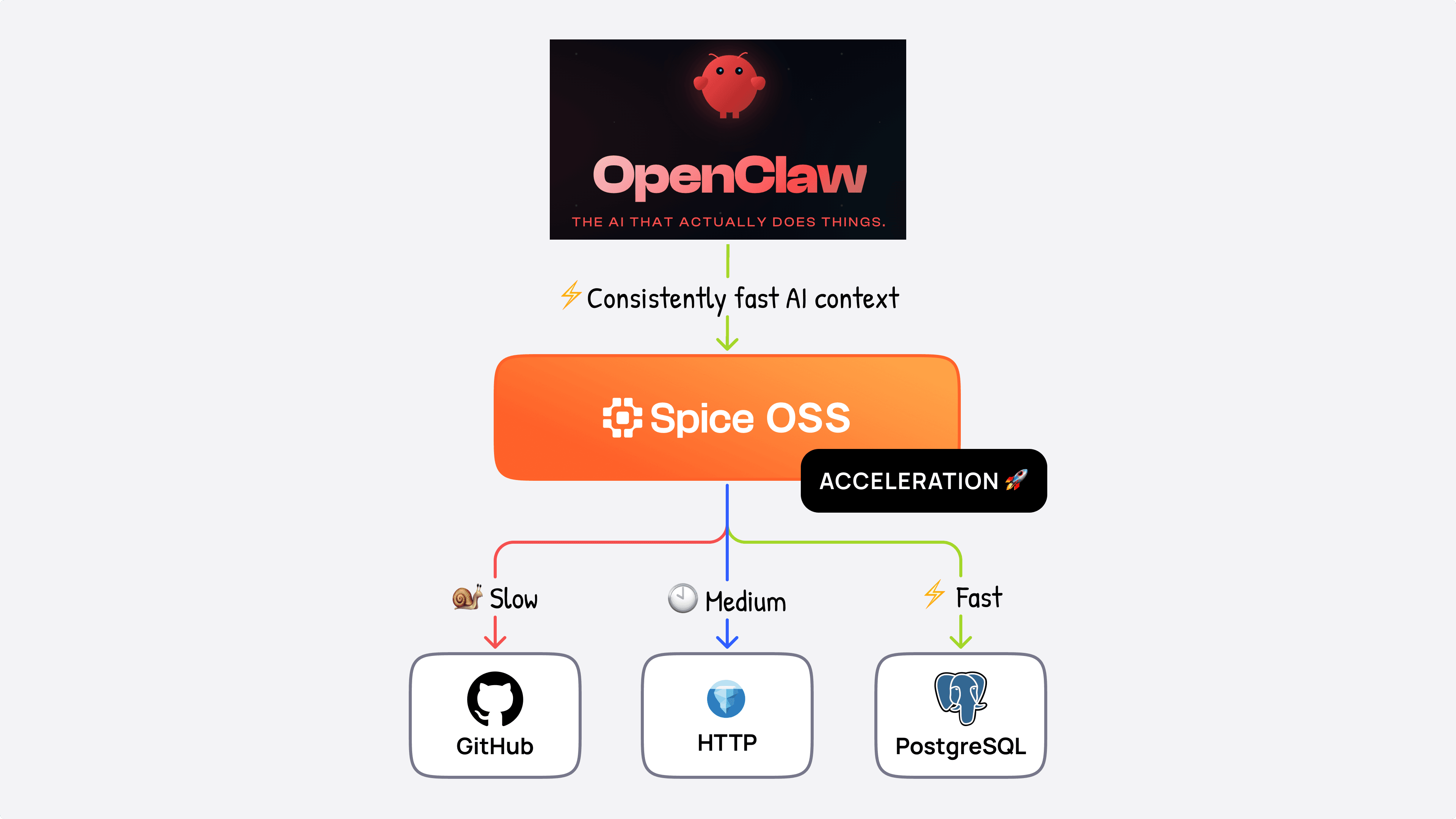
Figure 2: OpenClaw queries Spice, which accelerates data from GitHub, HTTP endpoints, and PostgreSQL.
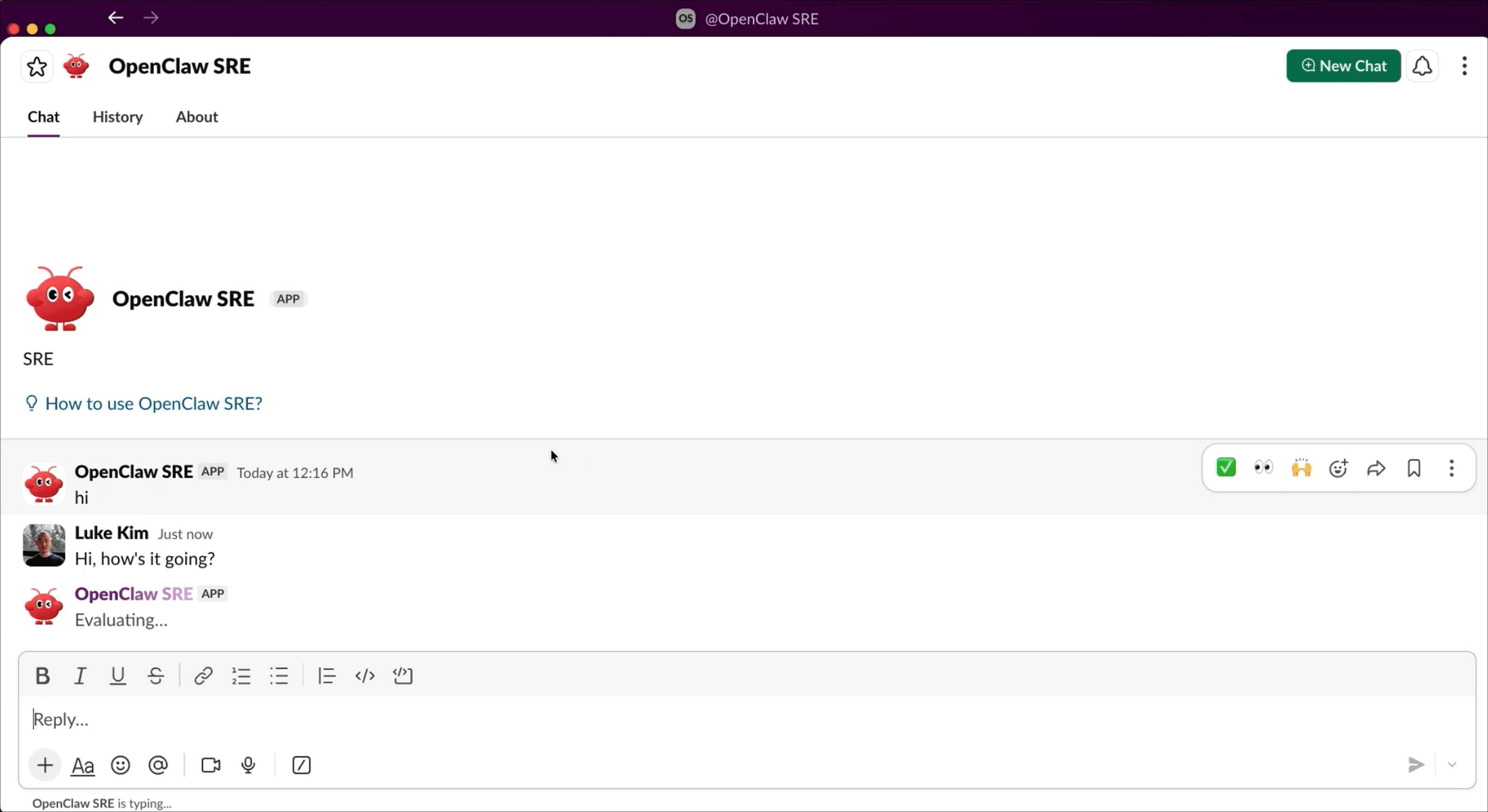
In true OpenClaw fashion, the agent lives where we already work, in Slack, and keeps us in the loop for any critical actions.
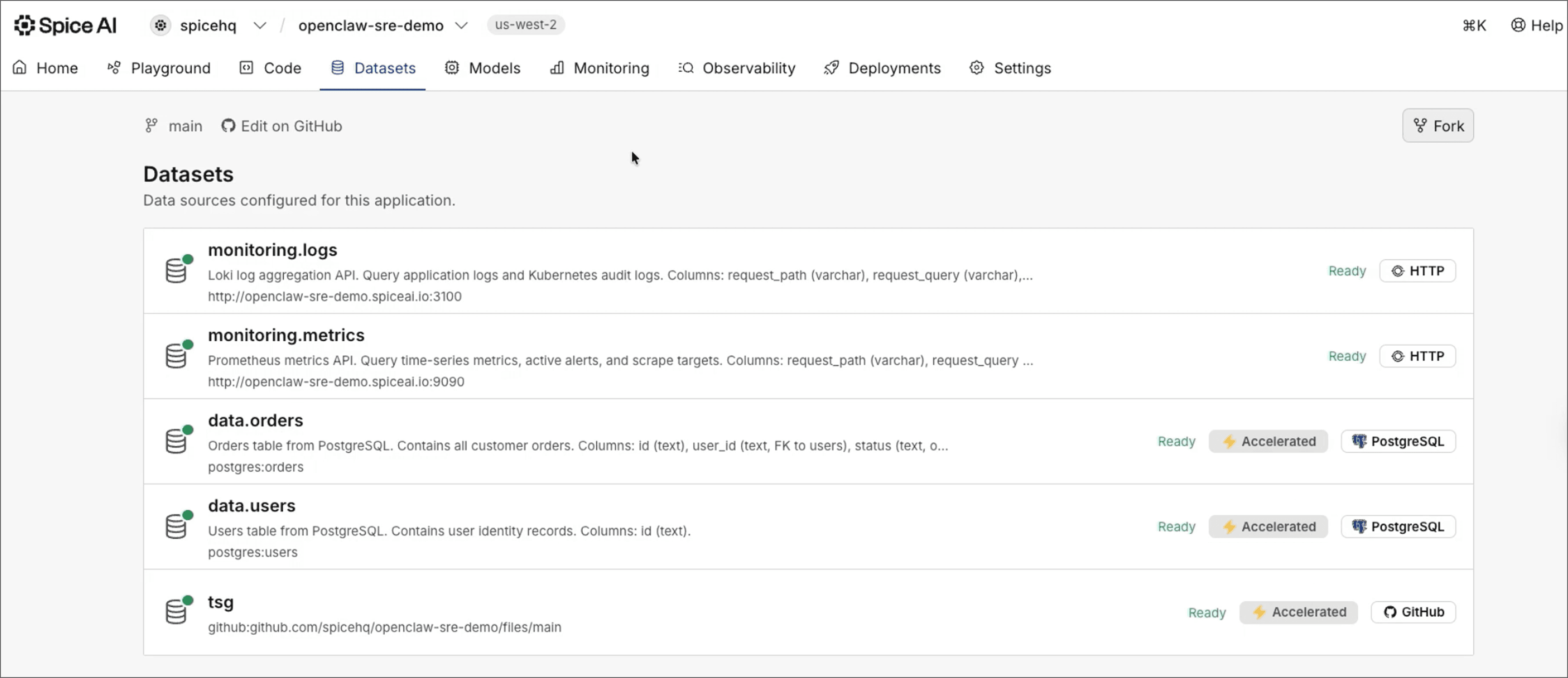
Spice is open-source and can be deployed anywhere: at the edge, on-premise, or in the cloud. For this demo, we'll use Spice Cloud. From Spice's side, the connected datasets the agent can query show up in the dashboard:
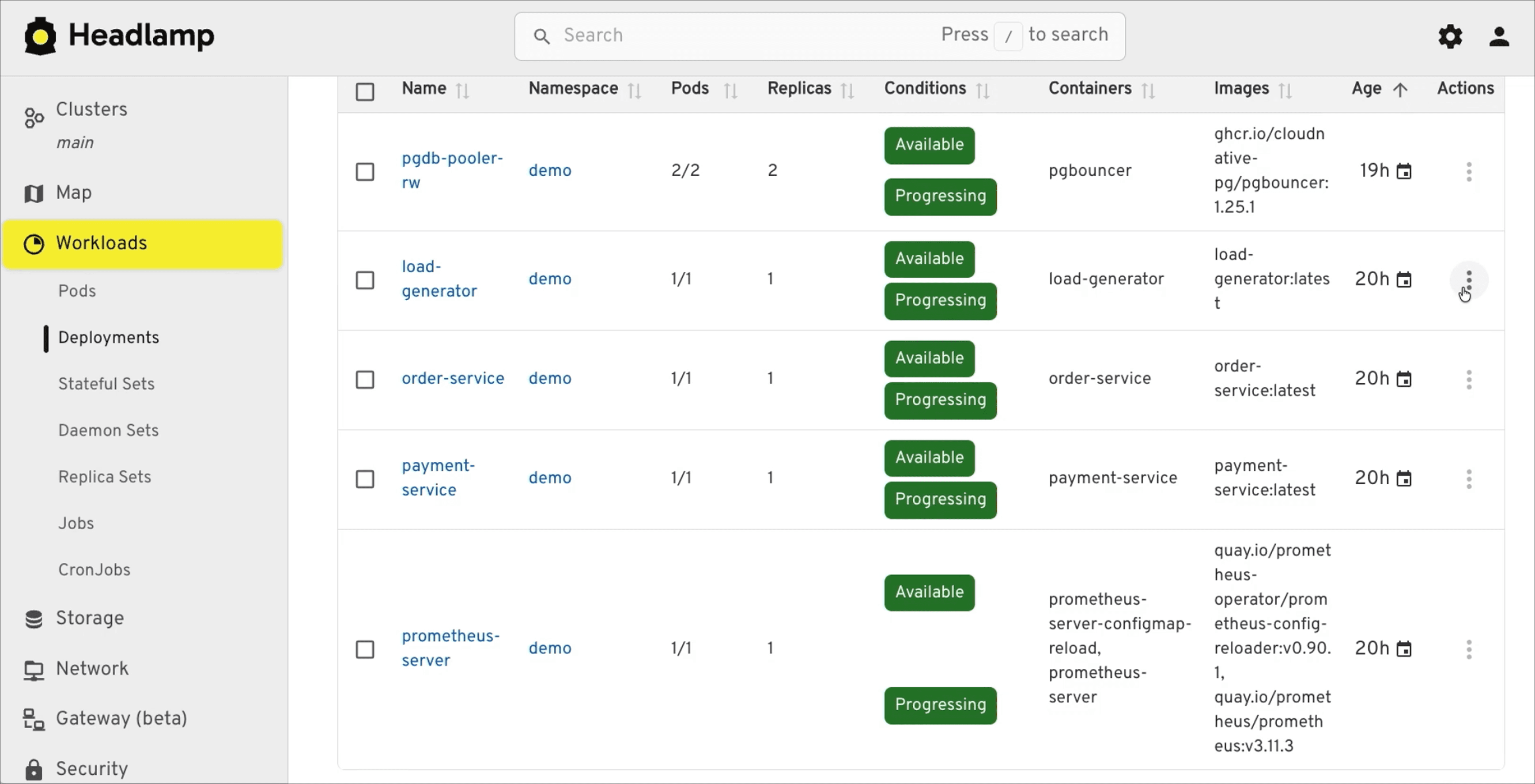
In Headlamp, the services backing the payment workflow (load-generator, order-service, and friends) start in their default setup:
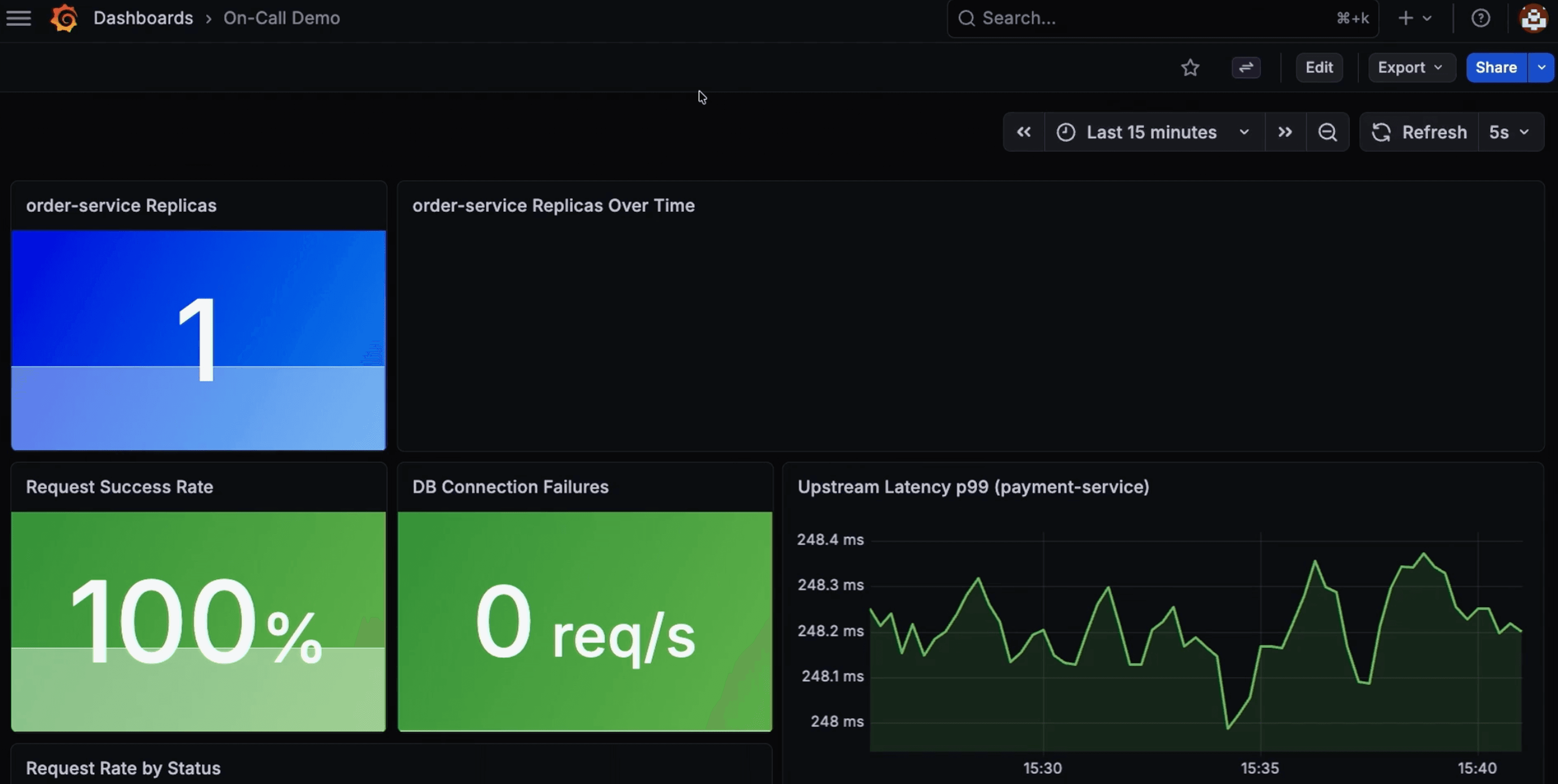
Baseline metrics for the order payment service: one replica, 100% success rate, ~250ms latency.
Scene set. Time to break things.
Incident one: latency spike
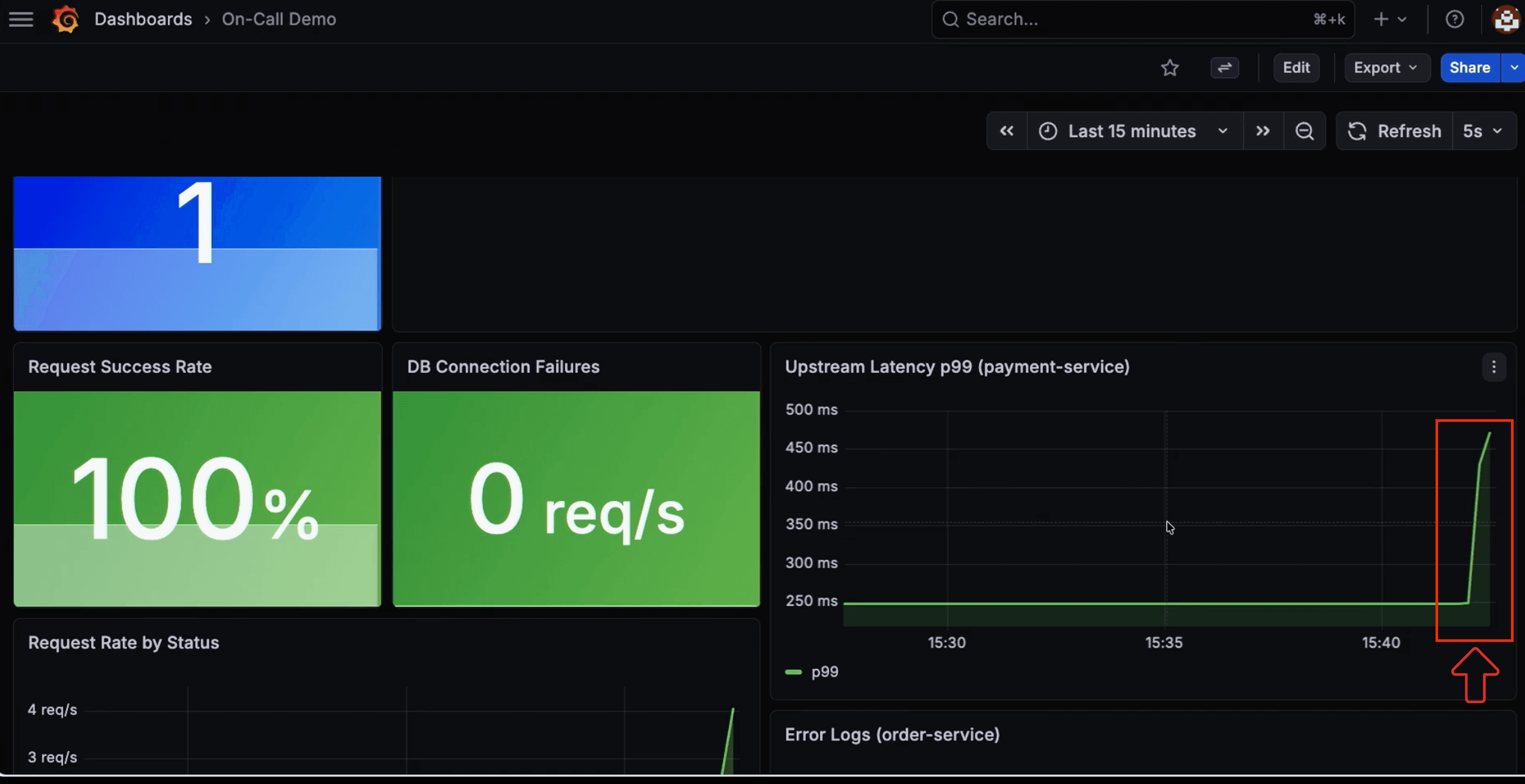
We kick off a load generator that ramps six replicas of traffic against the single service instance. Latency climbs from 250 ms to over 400 ms, and an alert lands in the Slack channel the SRE agent monitors.
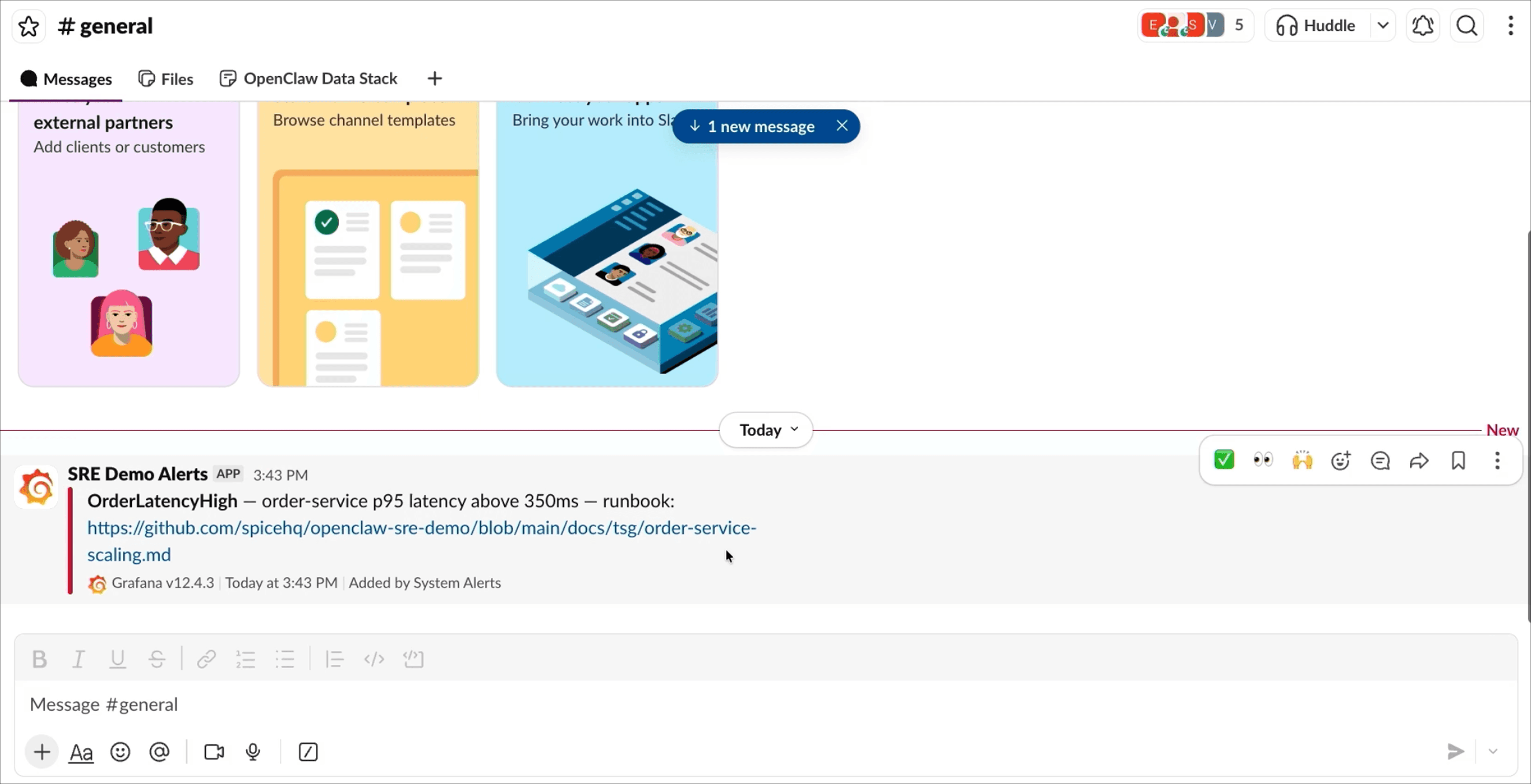
The agent investigates through Spice; querying monitoring logs, service metrics, and order data via the same SQL endpoint. It correlates the alert with traffic against a single replica and recommends scaling out to three:
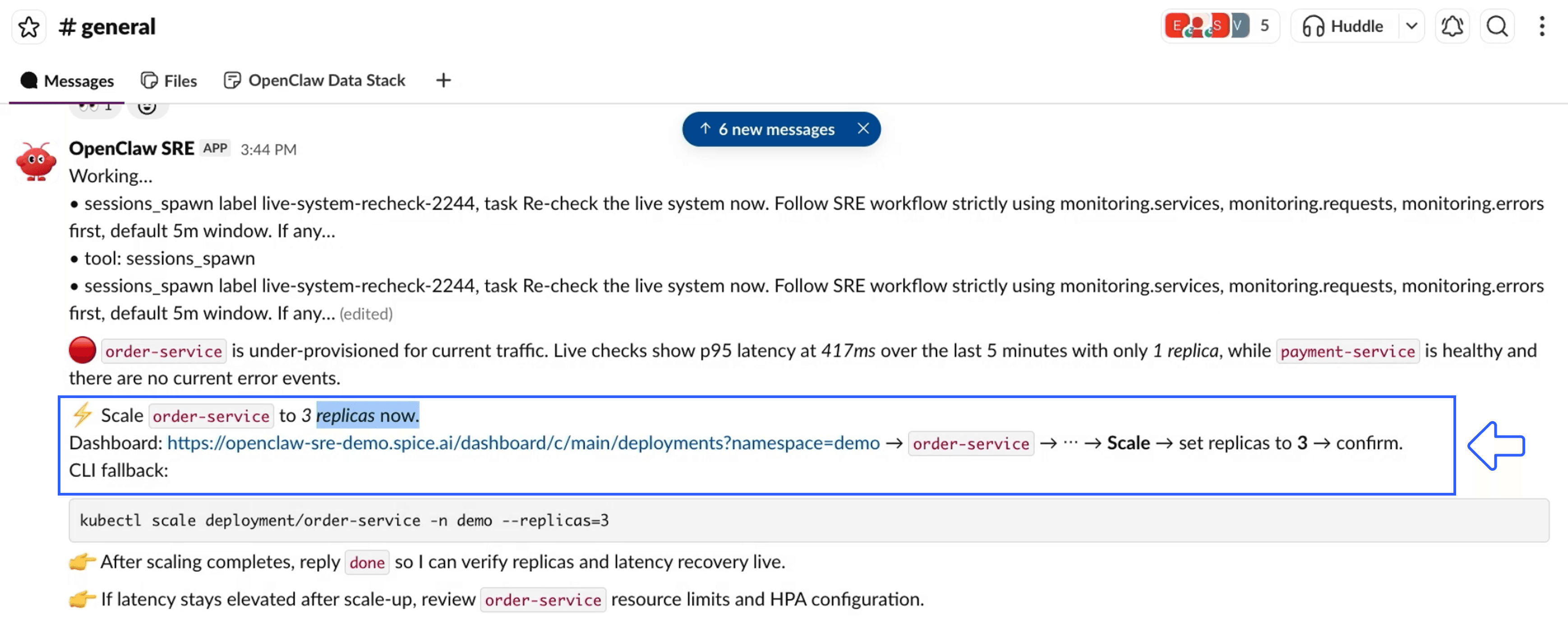
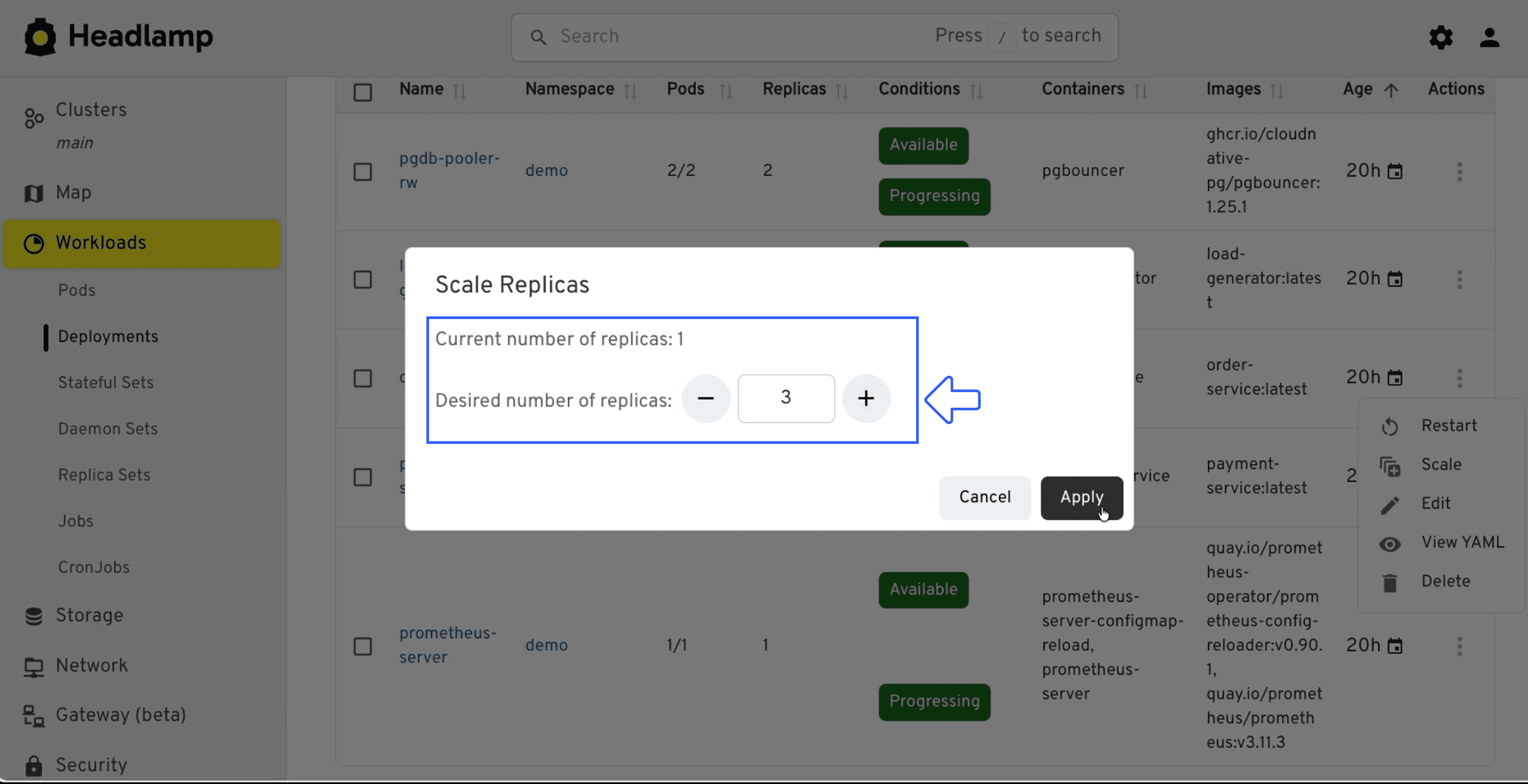
We confirm and apply the change:
Latency drops. Incident one closed.
Incident two: PgBouncer and Postgres connection exhaustion
Scaling out fixed latency, but each new replica brought its own connection pool, and together they exhaust what Postgres is configured to handle. 500s start accumulating, and a new alert fires.
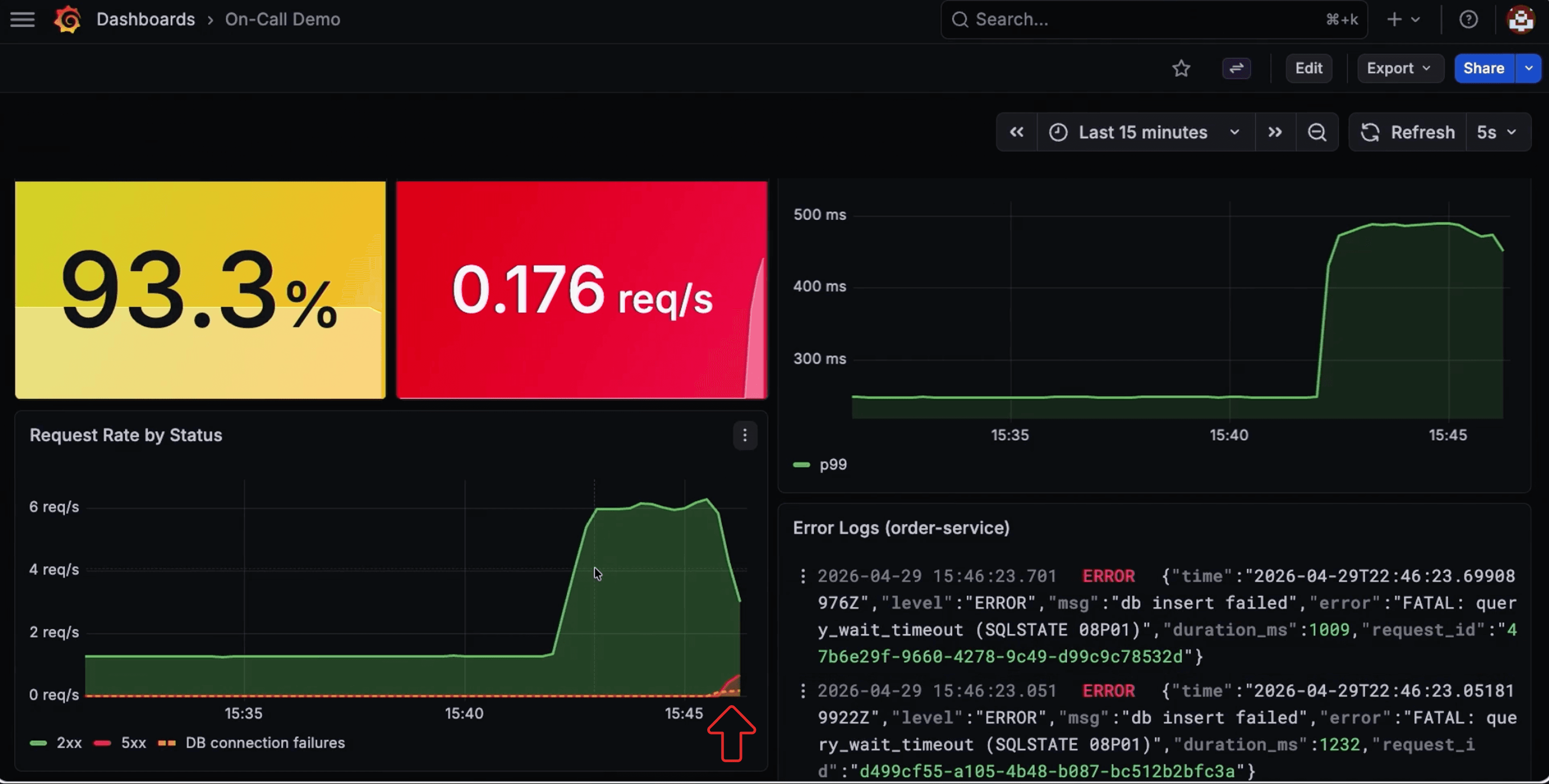
This one needs more than metrics. The fix lives in a PgBouncer runbook, not on a dashboard.
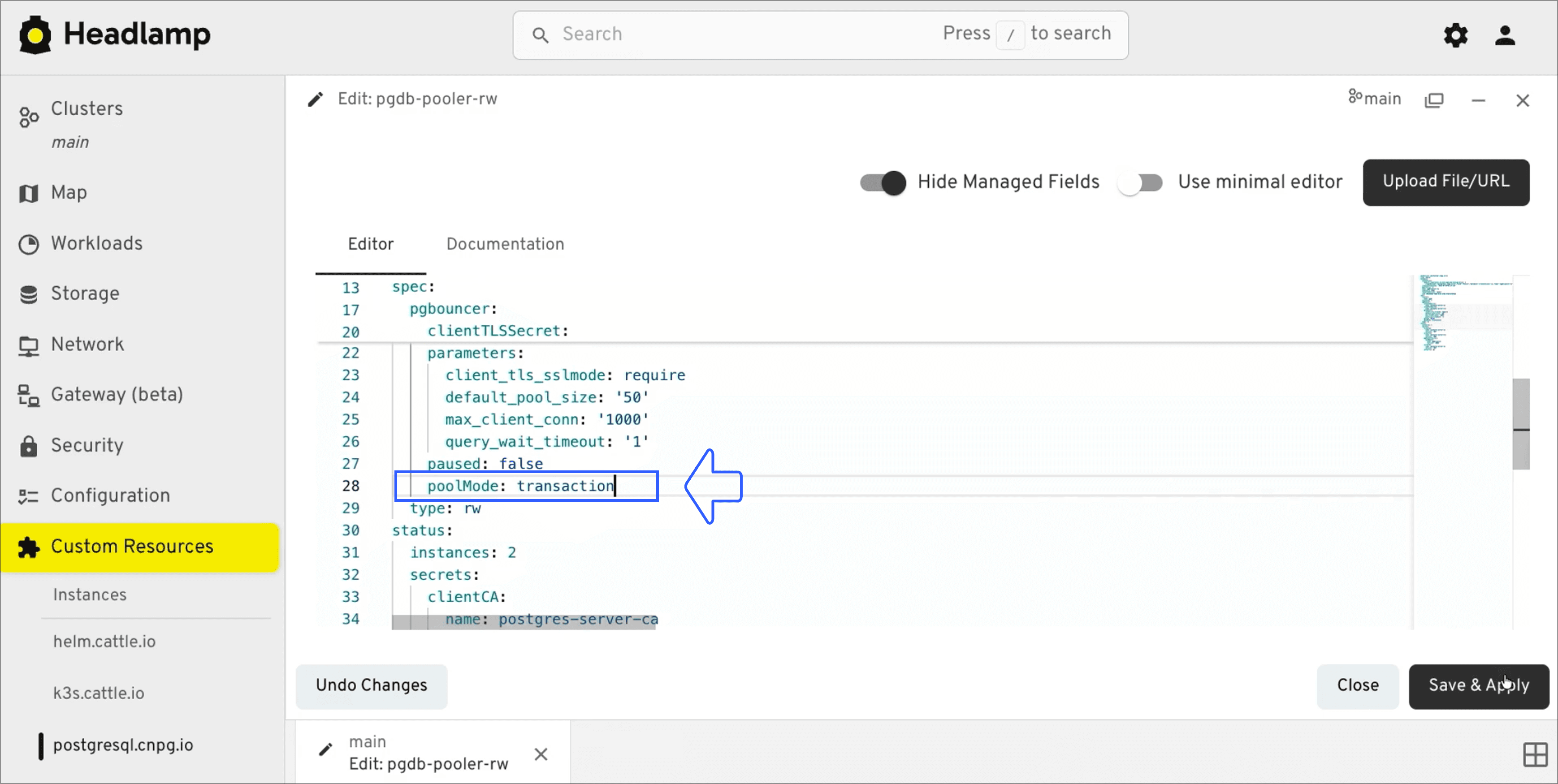
Spice indexes unstructured documents alongside structured data. Markdown runbooks and internal troubleshooting guides are searchable through hybrid SQL search, which combines full-text and vector search. The agent searches both the live incident data and the runbooks, and surfaces the relevant procedure: switch PgBouncer from session mode to transaction mode so connections are shared across requests instead of held per session.
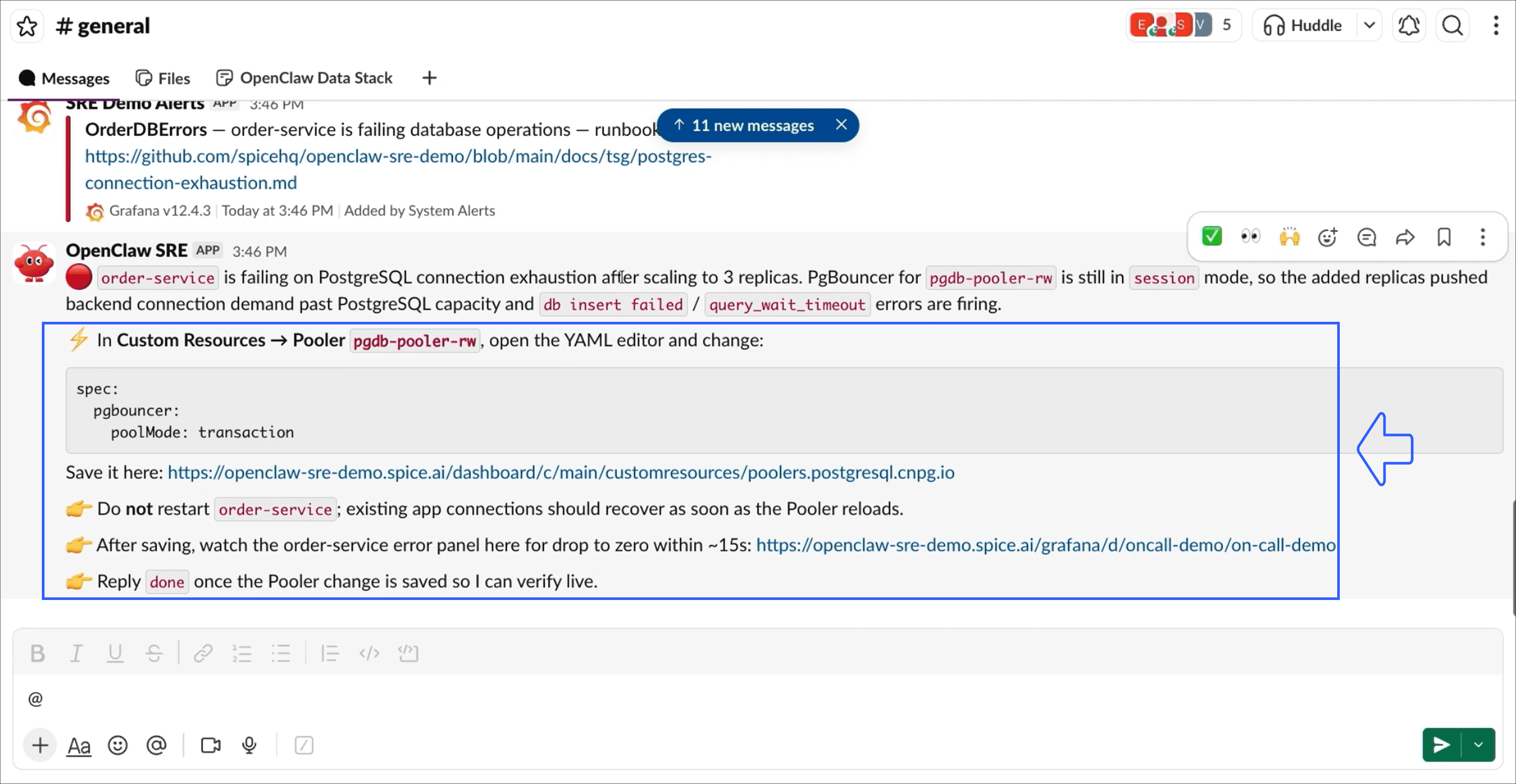
We apply the configuration change:
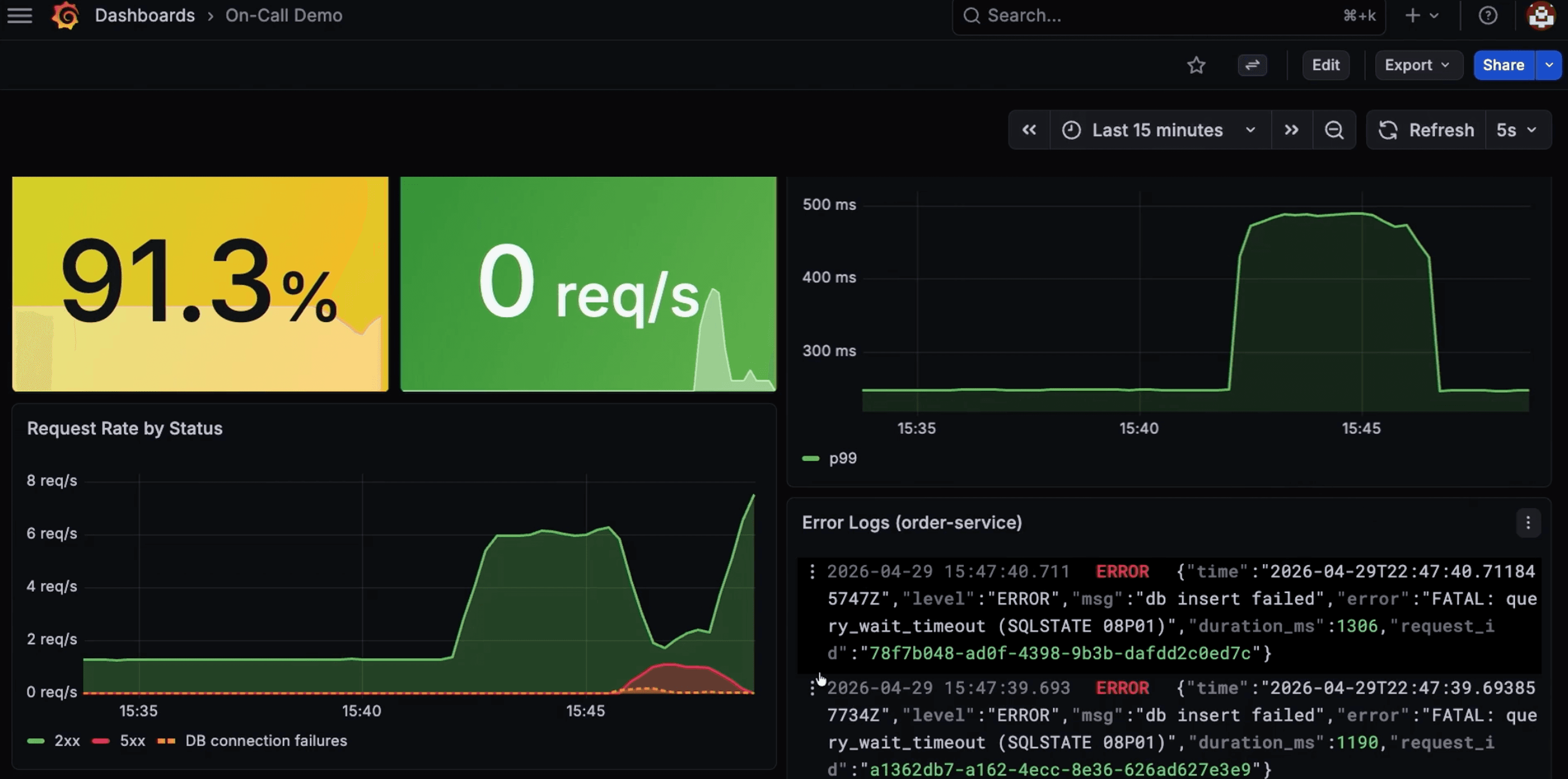
Errors clear, the service recovers, and the success rate climbs back toward 100%.
How does the agent assess customer impact?
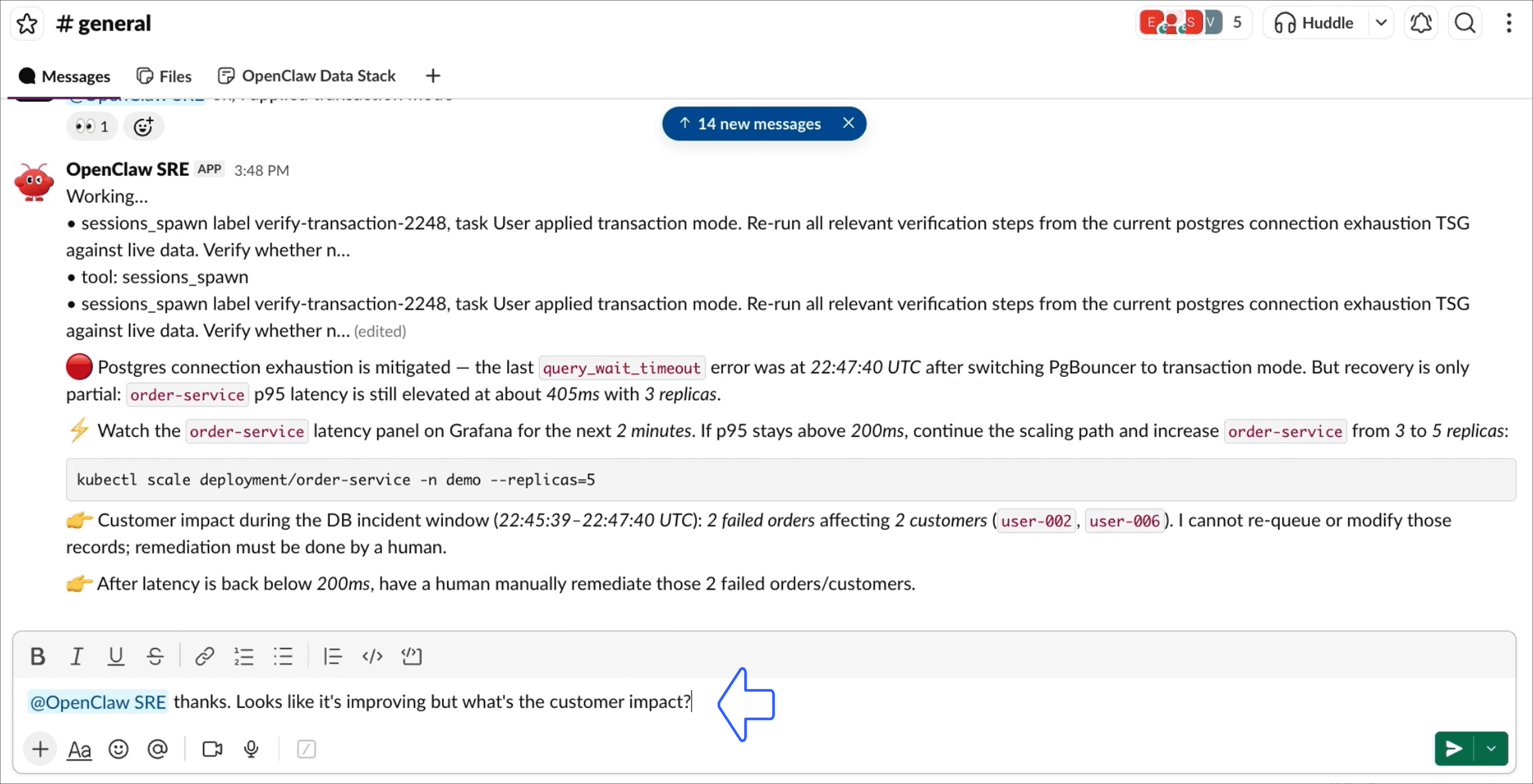
With both incidents resolved, we still need to know who was affected. Instead of cross-referencing logs and order tables by hand, we ask the agent:
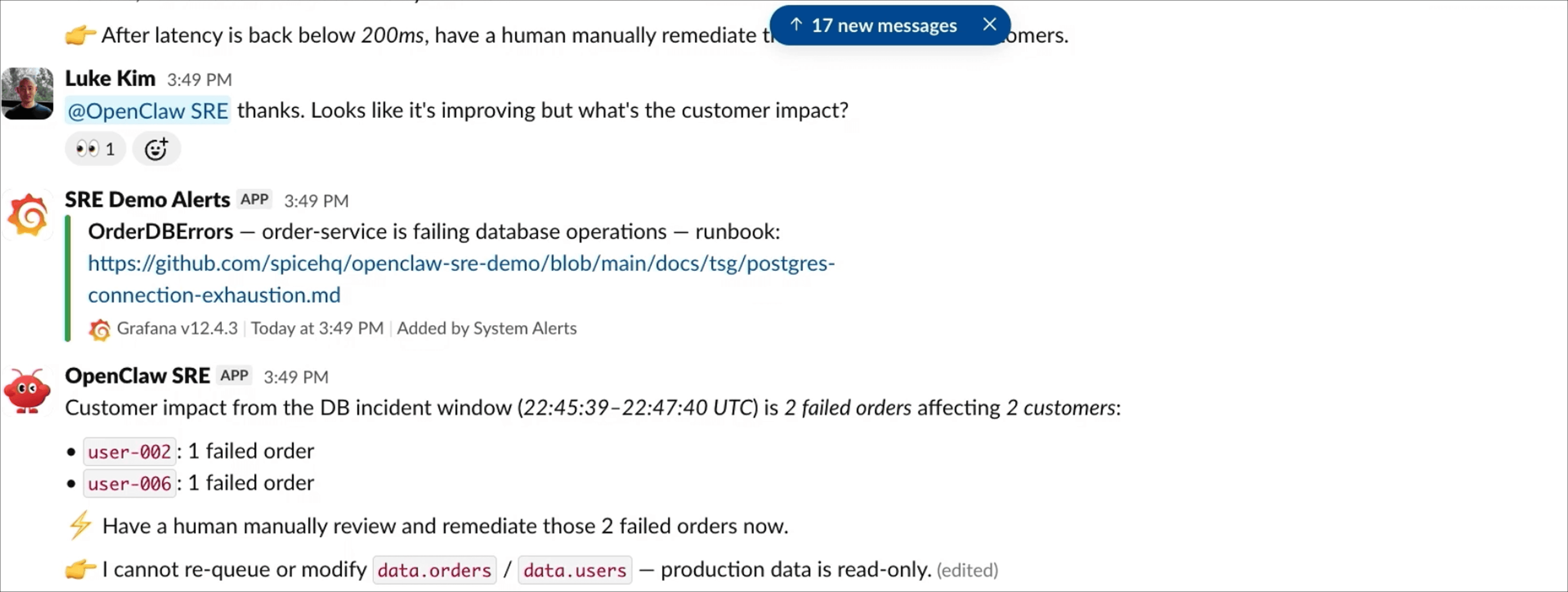
The agent joins error logs with order data through Spice and returns the affected customers, what they experienced, and the timeframe, ready for follow-up:
How does Spice make agent activity observable?
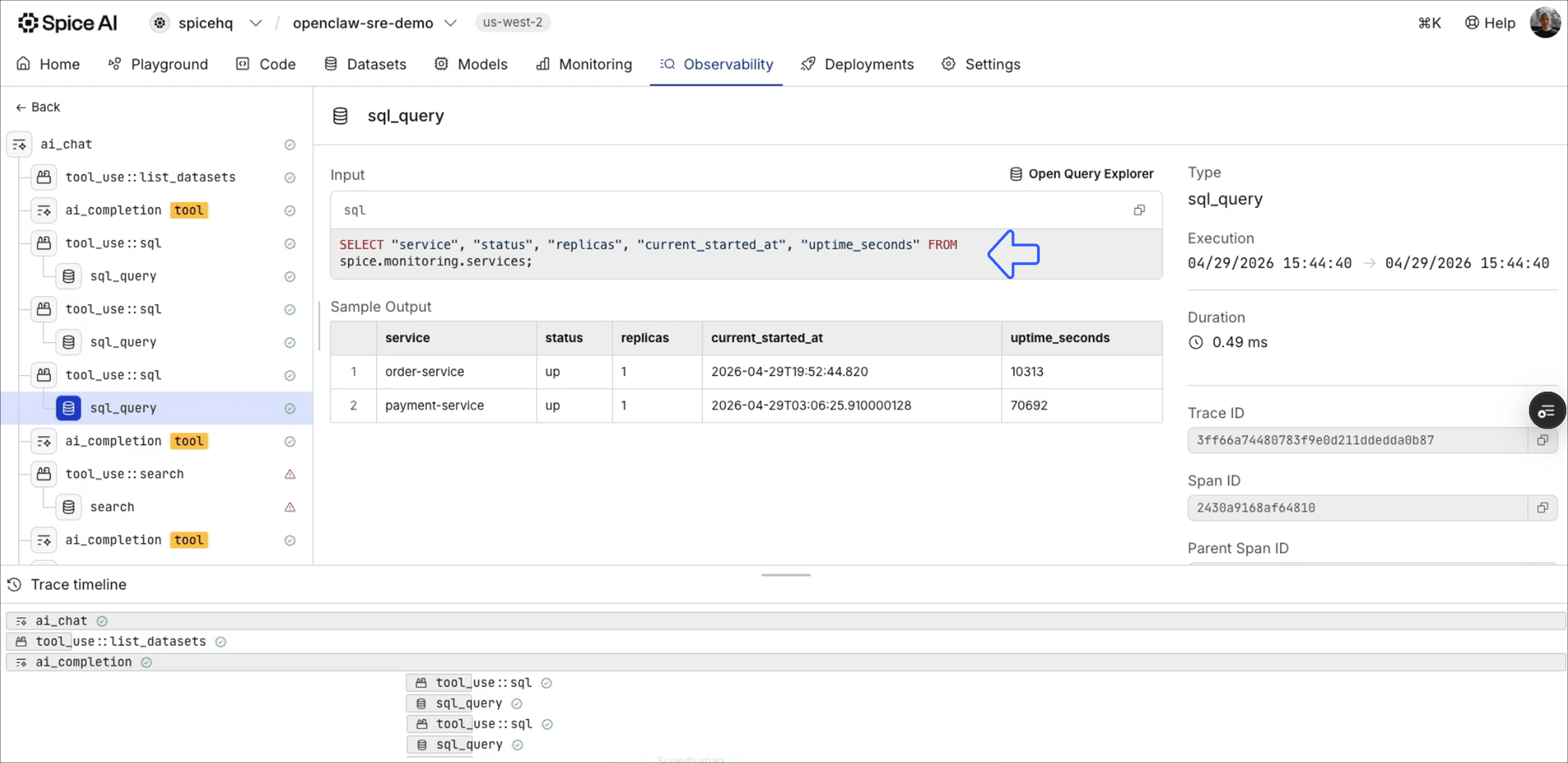
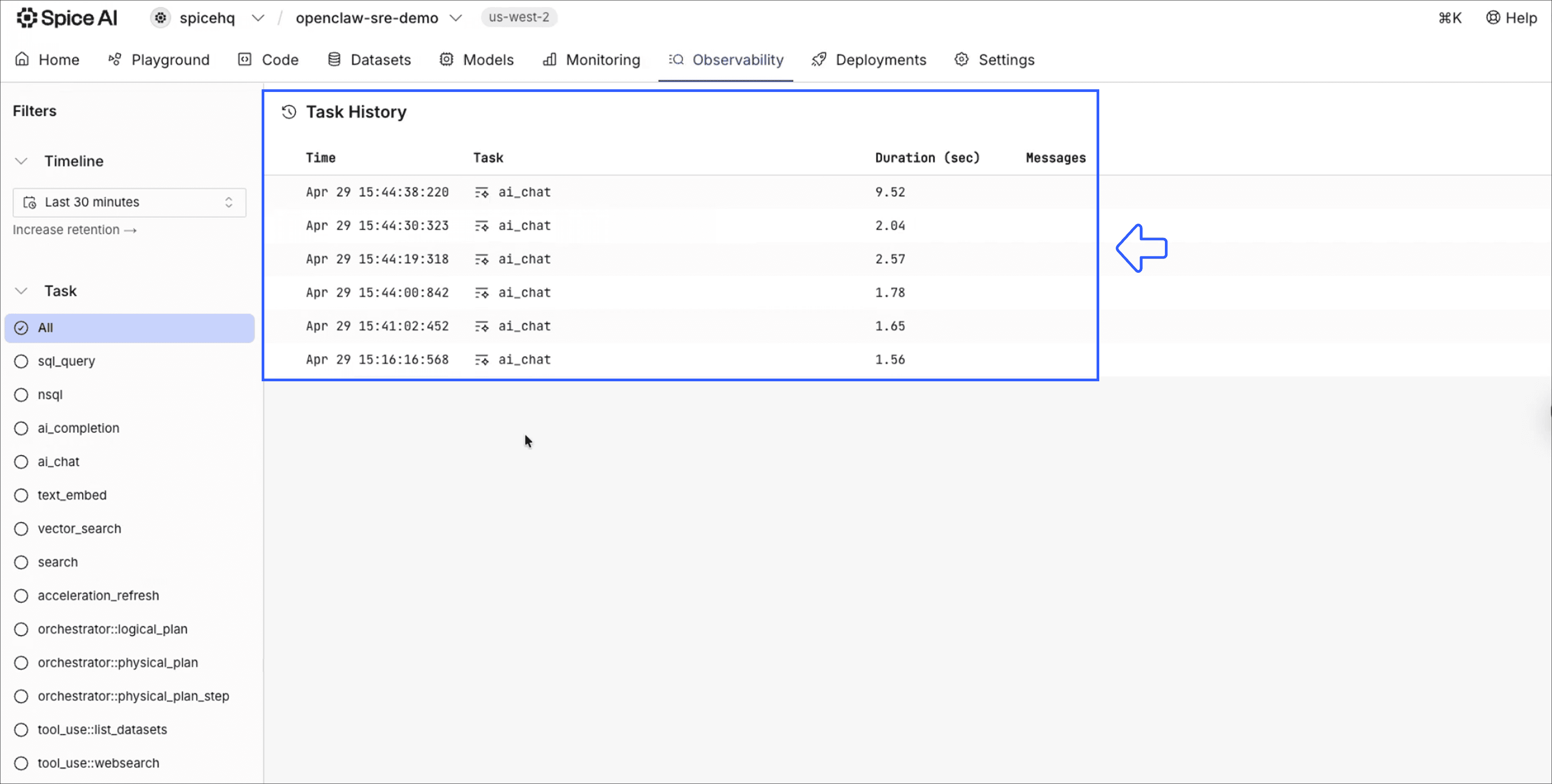
Every query the agent ran across both incidents is traced in Spice. Configuration, query plans, and SQL-level activity are all visible, so we can audit exactly what the agent saw and why it reached its recommendations.
What changes when deploying AI agents in production?
The OpenClaw SRE use case generalizes the challenge any enterprise agent faces when a workflow requires access to multiple systems: customer data, order history, internal documentation, and metrics each live in different places with different access patterns.
Direct access to each system is risky and operationally complex. Spice provides the substrate that makes access unified, safe, and observable without requiring the agent framework to handle that complexity.
Key takeaways
- An OpenClaw SRE agent needs governed production data access, not direct credentials to every backend system.
- Spice gives the agent one SQL interface across Postgres, HTTP endpoints, GitHub, metrics, and runbooks.
- Hybrid SQL search lets the agent retrieve operational guidance from unstructured documentation and combine it with structured incident data.
- Query tracing and SQL-level observability make agent actions auditable enough for enterprise production environments.
Getting started with governed AI agents
This architecture works with any agent framework and any data sources Spice supports. Spice is open-source and can run at the edge, on-premise, or in the cloud. If you are building agent workflows that need secure, fast access to production context, start with secure AI agents, SQL federation and acceleration, and hybrid SQL search. For MCP-based agent deployments, review the MCP server gateway.
For implementation details, the Spice OSS docs and Spice Cloud docs are good starting points. To evaluate managed deployment options, see Spice Cloud pricing or get a demo.
Join the Spice Slack community and reach out with any feedback or questions!
Frequently Asked Questions
What is OpenClaw?
OpenClaw is an open-source AI agent, formerly named ClawdBot, that acts on a user's computer, data, and services through text messages. It runs in chat apps such as Slack, Telegram, WhatsApp, and iMessage. Public incidents, like an agent deleting a user's emails, showed why enterprises need governed access before production deployment.
Why should an SRE agent not receive direct credentials to production systems?
An agent with direct credentials can exhaust connection pools, run expensive queries at the wrong moment, and take production down. A governed layer holds the credentials instead, and the agent queries one endpoint that the layer controls and traces. Spice was built for secure AI agent workloads and holds backend credentials so the agent never sees them.
How does an OpenClaw agent connect to Spice?
The agent connects to Spice through a single SQL or MCP endpoint. Behind that endpoint, Spice federates queries across relational databases, HTTP APIs, object storage, and unstructured documents. The agent does not need to know which system holds the data; Spice routes, accelerates, governs, and traces every call. For MCP-based deployments, the MCP server gateway routes tools to models with fine-grained access controls.
Can the SRE agent search runbooks and other unstructured documentation?
Yes. Spice indexes unstructured documents alongside structured data, so the agent searches runbooks and internal guides with the same SQL endpoint. Hybrid search combines full-text and vector search, so the agent retrieves the relevant procedure and combines it with live incident data. In the demo, this found the PgBouncer runbook that resolved the connection exhaustion incident.
Can the OpenClaw SRE agent apply production changes on its own?
No. In this architecture, the agent diagnoses incidents and recommends changes, and a human operator approves and applies them. In the demo, the agent recommended scaling to three replicas, and the operator confirmed the change before applying it. Approval for mission-critical actions is one of the strict requirements for enterprise AI agents.
What data sources does the OpenClaw SRE agent query in the demo?
The demo agent queries service metrics behind HTTP endpoints, order data in Postgres, runbooks in GitHub, and monitoring logs, all through Spice. The order payment service itself runs on EC2. Spice presents these sources to the agent as one governed SQL endpoint.
Does this architecture work with agent frameworks other than OpenClaw?
Yes. The architecture works with any agent framework and any data sources Spice supports. Spice deploys at the edge, on-premise, or in the cloud, and Spice Cloud offers a managed option. Any agent that connects over SQL or MCP queries the same governed endpoint.


