Data lake accelerator: low-latency SQL on S3, Iceberg, and Delta Lake
A data lake accelerator keeps a local copy of the tables an application queries most, so queries skip the round-trip to object storage. Spice materializes data lake tables in an embedded engine next to your application and refreshes them from the source, for up to 100x faster queries.
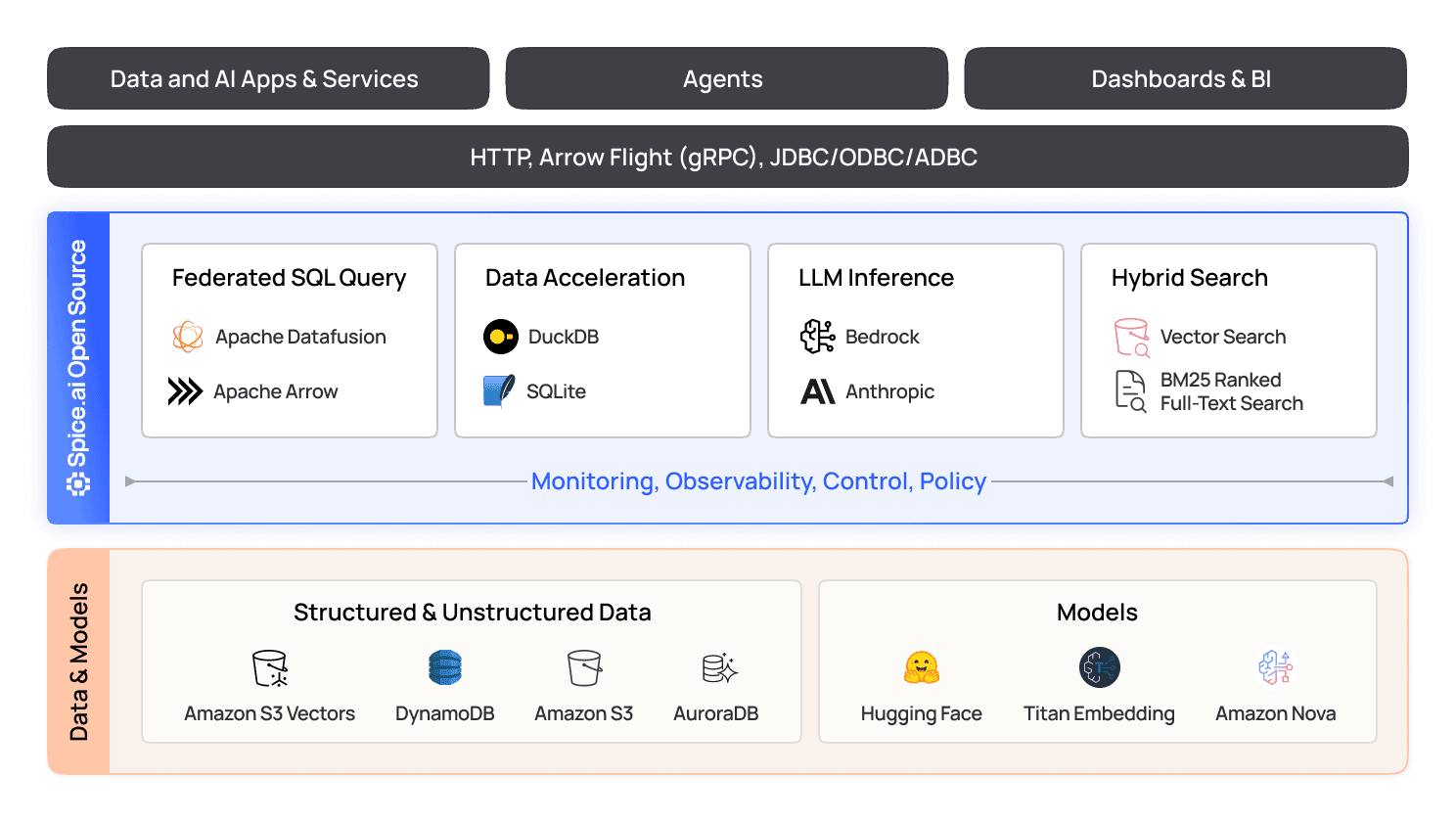
Do more with your data
100x
up to 100x faster queries
80%
up to 80% cost savings on data lakehouse spend
2x
increase in data reliability for critical workloads
Data lakes weren't designed for operational workloads
Data lakes store large volumes of data at low cost, but they were built for batch analytics, not interactive workloads. Every query lists and reads files over the network or waits for a warehouse cluster to start. Applications that need millisecond responses end up paying for always-on compute or copying data into a separate serving database.

Operationalize and accelerate your data lake
Run sub-second SQL directly on Parquet, Iceberg, S3, and more with local acceleration and real-time sync.
Accelerate your data lake locally
Spice pulls frequently queried datasets from your data lake into a local Data Accelerator, so reads skip the network hop to object storage. Each dataset refreshes on an interval or from a change stream, and the refresh mode sets how far the local copy can trail the source.
Explore Spice Cayenne Data Accelerator
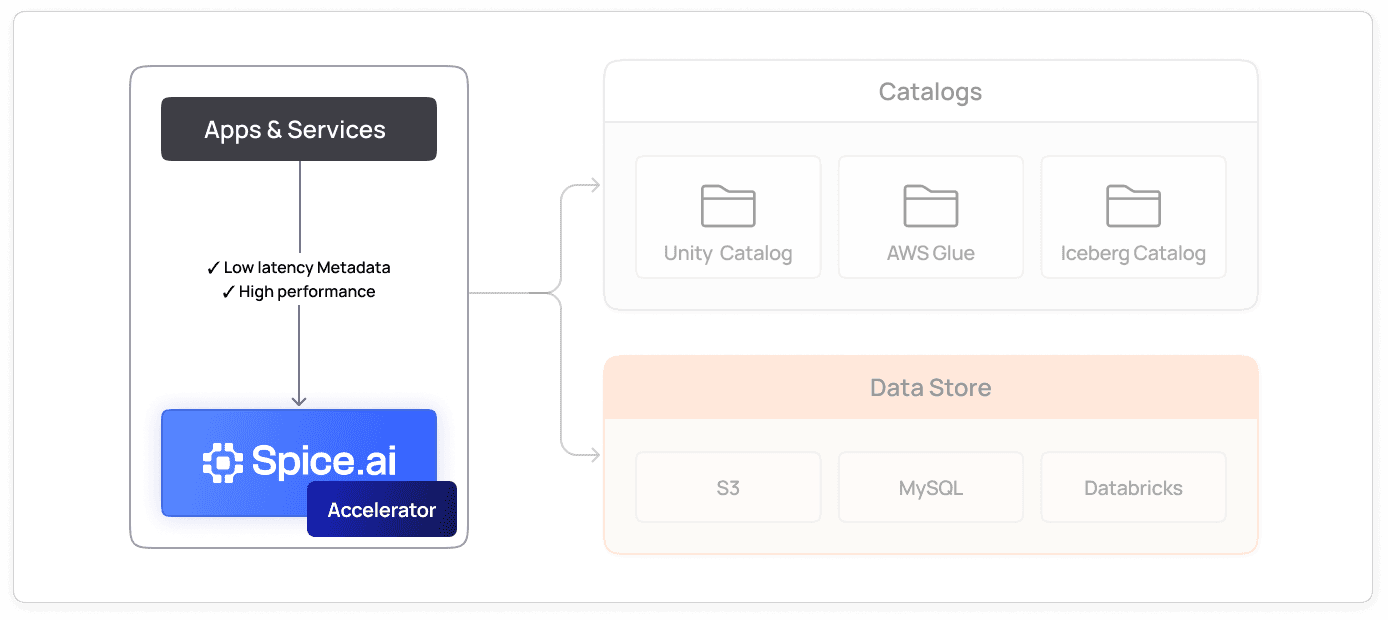
Lower cost, higher reliability
Materializing frequently accessed data in the runtime cuts repeated scans of the lake and the compute they bill. Accelerated datasets keep serving reads if the source becomes unreachable, and a dataset can be configured to query the lakehouse or warehouse source when the local copy has no matching rows.
Read how Spice makes object storage operational
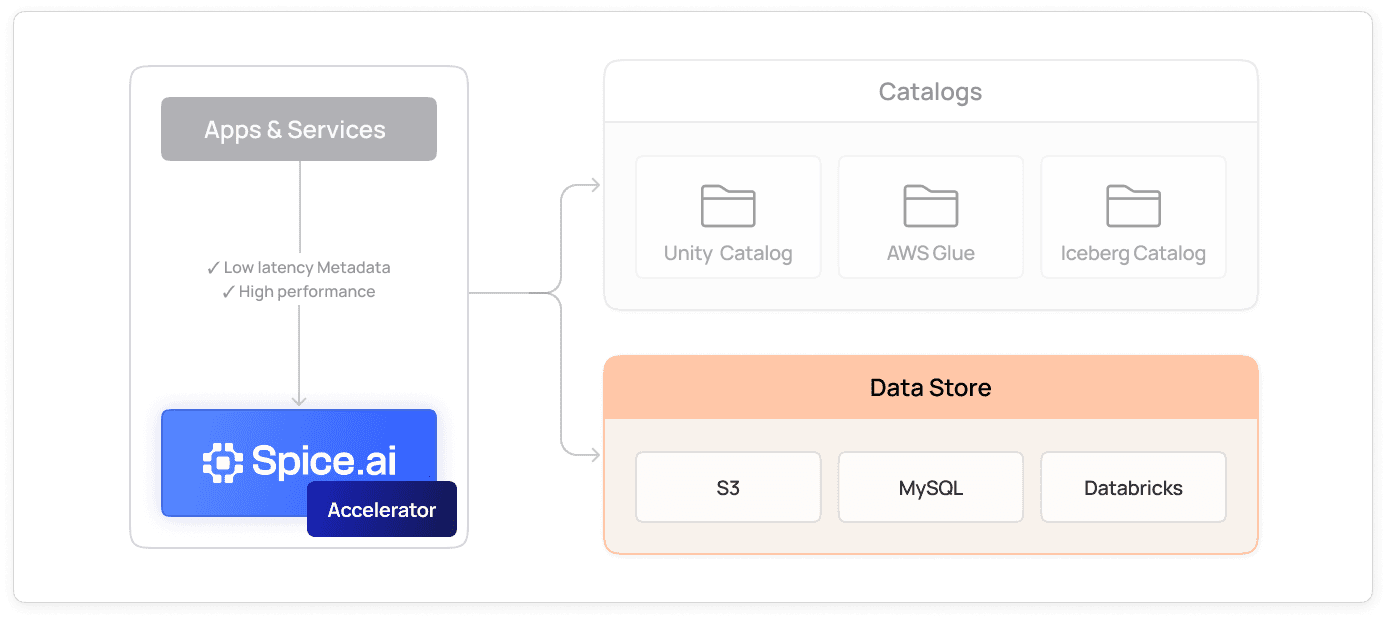
Any source, one runtime
Accelerate datasets from 40+ data sources in one SQL runtime, including S3, Azure Blob Storage, Google Cloud Storage, Apache Iceberg, Delta Lake, and Databricks. Schema detection, indexes, and retention policies are part of the dataset configuration.
See 40+ supported connectors
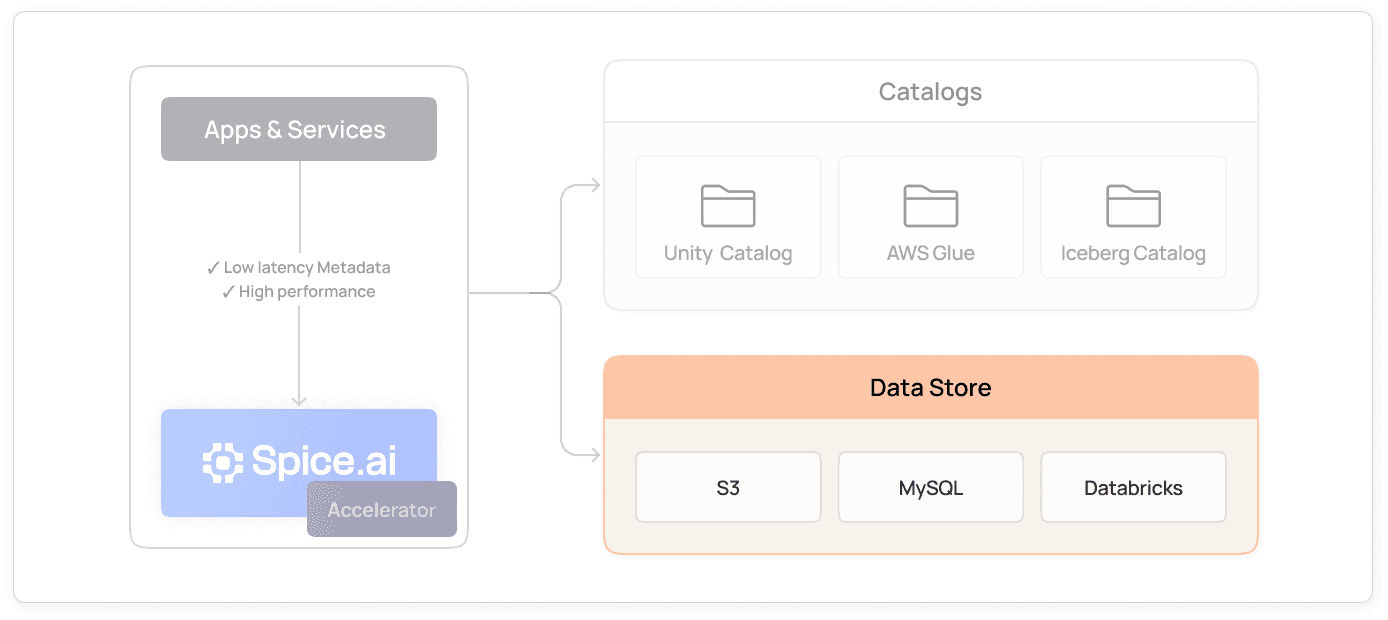
Reduce cold start times
File-mode accelerations store data on disk. In Spice.ai Enterprise, acceleration snapshots bootstrap a new or replaced node from a prebuilt acceleration file in S3, Azure, or Google Cloud Storage instead of a full refresh from the source.
Read about operationalizing S3 for AI
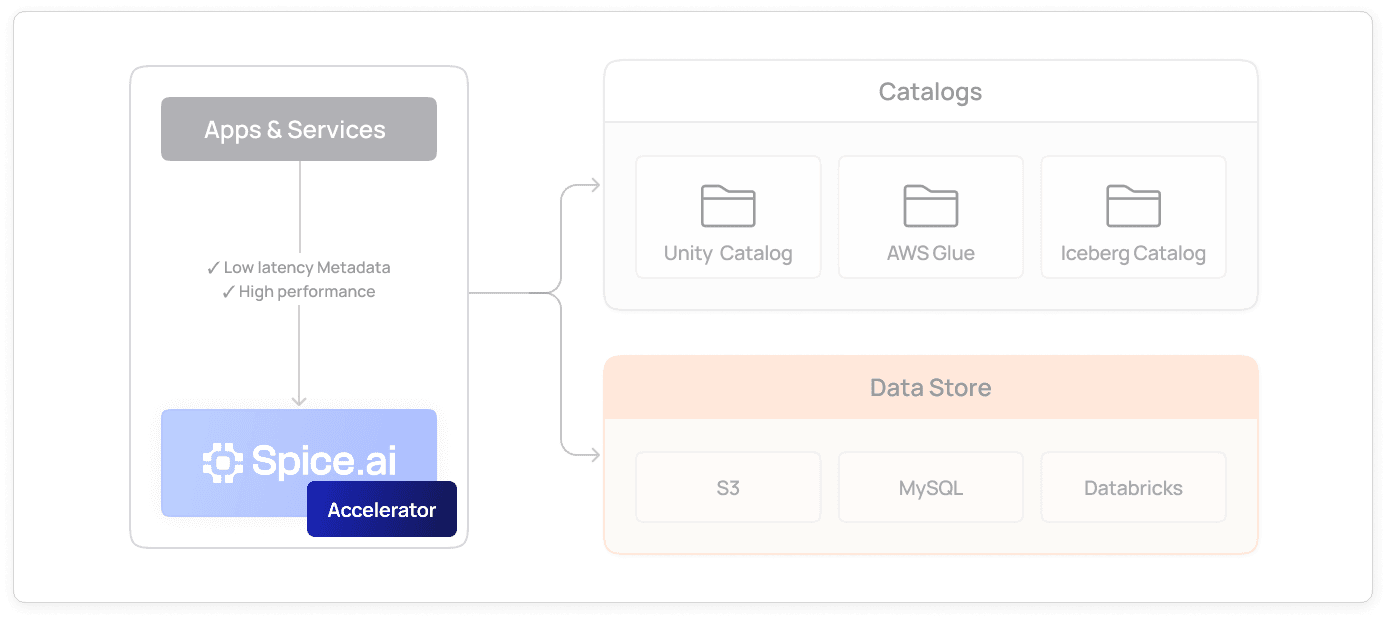
How does a data lake accelerator work?
A data lake accelerator copies the tables an application queries most from object storage into a local query engine, then keeps that copy current. Spice does this per dataset, in three steps defined in a Spicepod:
- Connect the dataset to its source with a data connector: S3, Azure Blob Storage, Google Cloud Storage, Apache Iceberg, AWS Glue, Delta Lake, Databricks, or DuckLake.
- Materialize the dataset in an acceleration engine. Most engines are embedded in the Spice runtime, next to the application.
- Refresh the local copy on an interval or from a change stream, with the refresh mode that matches how the source data changes. In
cachingmode, Spice instead caches query results, reads the source on a miss, and revalidates cached results in the background.
Applications query accelerated and non-accelerated datasets through the same SQL endpoint. Datasets without acceleration stay federated, so one query can join a local copy of an Iceberg table with a live PostgreSQL table. The SQL federation and acceleration engine plans both paths, and the data acceleration guide covers the general pattern.
datasets:
  - from: s3://my-bucket/events/
    name: events
    time_column: event_time
    params:
      file_format: parquet
    acceleration:
      enabled: true
      engine: cayenne
      mode: file
      refresh_mode: append
      refresh_check_interval: 1m
Which acceleration engine fits a data lake workload?
Pick the engine by dataset size and query shape. Applications query every engine through the same Spice SQL endpoint. Switching engines changes the engine setting and engine-specific settings such as mode, because Arrow runs in memory only and Cayenne runs on files only. Queries that call engine-specific SQL functions can also need changes.
| Engine | Storage | Best fit | Limits |
|---|---|---|---|
| Arrow | In memory | Small, hot tables that need the fastest scans | Not persisted to disk, no indexes |
| DuckDB | In memory or a single file | Analytical queries on datasets up to about 1 TB | Single-file and memory limits as data grows |
| SQLite | In memory or a single file | Small tables and row lookups | Single writer and limited parallelism |
| Cayenne | Vortex files plus metadata | Multi-terabyte data lake tables | File mode only |
| PostgreSQL | External PostgreSQL database | Row-oriented lookups on an existing PostgreSQL server | Not optimized for columnar analytics |
Spice Cayenne stores data in the Vortex columnar format and keeps metadata in a separate embedded engine, which avoids the single-file limits of DuckDB and SQLite. On the TPC-H SF-100 query set, Spice 2.0 with Cayenne finishes in 88.3 seconds on one node, compared with 138.3 seconds for the same runtime with DuckDB. The Spice benchmarks page lists the hardware and runtime version for each run.
Which refresh mode should a data lake dataset use?
Match the refresh mode to how the source table changes:
| Refresh mode | What each refresh does | Best fit for data lake tables |
|---|---|---|
full | Replaces the whole local copy | Small dimension tables, or tables rewritten in place |
append | Adds rows newer than the latest time_column value | Event, log, and clickstream tables that only grow |
changes | Applies inserts, updates, and deletes from a change stream | Sources with change data capture, such as Debezium |
caching | Caches results, reads the source on a miss, revalidates | Large tables where only some queries repeat |
Two settings bound the size of the local copy. refresh_sql filters what each refresh loads, for example the last 30 days of a multi-year table. Retention policies evict rows from the local copy: retention_period removes rows older than a set age, based on the dataset's time_column, and retention_sql removes rows that match a DELETE predicate. Eviction runs only when retention_check_enabled is true and retention_check_interval is set.
When should you query the data lake directly instead?
Leave a dataset federated when queries scan its full history, run once, or touch data that no application reads repeatedly. Acceleration pays off on the working set that applications query again and again. For large scans of federated object storage, distributed query spreads the work across a cluster: on TPC-H SF-100 over federated S3 Parquet, three Ballista executors finish 2.9x faster than one node. To serve both patterns from one platform, see the operational data lakehouse use case. To run data lake acceleration as a managed service, compare Spice Cloud plans and pricing.
Transform your data lake into a low-latency operational engine
Federate, accelerate, and query in one engine, without standing up clusters or pipelines.

Local Acceleration
Run queries on embedded in-memory or on-disk engines (Arrow, DuckDB, SQLite, or Cayenne), or accelerate into an external PostgreSQL database.

Snapshots
Restore file-mode accelerations from timestamped snapshots in object storage (Spice.ai Enterprise).

Source Agnostic
Accelerate data from S3, Iceberg, Delta Lake, RDS, Snowflake, and more, all with SQL.

Governed and Reliable
Schema validation, primary key constraints, retention policies, and defined refresh modes keep accelerated data consistent with its source.

Source Fallback
Route queries to the original source while the initial load runs, or when the accelerated table returns no rows, with the ready_state and on_zero_results settings.

Deployment Flexibility
Run Spice anywhere: as a sidecar, microservice, cluster, or on the managed Spice Cloud Platform.
Deployed in production
Run data-intensive workloads on a high-performance engine trusted by teams building real-time systems at scale.

“Spice opened the door to take these critical control-plane datasets and move them next to our services in the runtime path.”
Peter Janovsky
Software Architect, Twilio

100x
Faster queries
“It just spins up and works, which is really nice. The responsiveness is amazing, which is a huge gain for the customer.”
Darin Douglass
Principal Software Engineer, Barracuda
Learn how Barracuda gained 100x faster query responses and reduced costs 50% with Spice

“Partnering with Spice AI has transformed how NRC Health delivers AI-driven insights. By unifying siloed data across systems, we accelerated AI feature development, reducing time-to-market from months to weeks - and sometimes days. With predictable costs and faster innovation, Spice isn't just solving some of our data and AI challenges - it's helping us redefine personalized healthcare.”
Tim Ottersburg
VP of Technology, NRC Health

“Spice AI grounds AI in our actual data, using SQL queries across many data sources. This brings accuracy to probabilistic AI systems, which are very prone to hallucinations.”
Rachel Wong
CTO, Basis Set
Trusted by global enterprises




Build an accelerated data lake
Guides and examples to learn more about querying data, building apps, and integrating AI with Spice.
Data acceleration with DuckDB
This recipe walks through accelerating a local copy of the taxi trips dataset stored in S3, with DuckDB as the data accelerator engine.

Spice Acceleration docs
The Spice runtime accelerates datasets and views locally. It pulls data from any Data Connector and stores it in a Data Accelerator for faster access.

Making Object Storage Operational for Real-Time and AI Workloads
TLDR Introduction Although legacy systems and workflows remain common, many enterprises are re-evaluating their architectures to meet new demands – driven in part, but not exclusively, by AI – that require support for more data-intensive and real-time applications. The underlying storage needs for these novel workloads are generally outside the bounds of a traditional operational […]

FAQs
Answers to common questions about accelerating data lake queries with Spice
A data lake accelerator keeps a local copy of frequently queried data lake tables in a fast query engine. Queries read the local copy and skip the network round-trip to object storage. Spice materializes Parquet, Iceberg, and Delta Lake tables in local Data Accelerators and refreshes them from the source. It builds on the SQL federation and acceleration engine in the Spice runtime.
Each accelerated dataset refreshes on a set interval or from a change stream. The refresh mode sets the method: full replaces the copy, append adds new rows, and changes applies real-time change data capture. With interval-based refresh, the local copy can trail the source by up to one refresh interval. In caching mode, Spice serves cached results and revalidates them in the background.
By default, a query on an accelerated dataset reads only the local copy. Set ready_state: on_registration to send queries to the source until the initial load finishes. Set on_zero_results: use_source to query the source when the local copy returns no rows. In caching refresh mode, every cache miss queries the source.
Acceleration serves repeated queries from the Spice runtime instead of the data lake. Fewer queries reach the lake, so fewer file scans and warehouse cluster starts are billed. Spice reports up to 80% cost savings on data lakehouse spend and up to 100x faster queries for accelerated workloads.
No. A Spicepod names each dataset, its source connector, and its acceleration settings, and the Spice runtime loads and refreshes the data. No separate ingestion pipeline is necessary. Spice runs as a sidecar, a microservice, a cluster, or a managed service on the Spice Cloud Platform.
No. The Iceberg or Delta Lake table stays the system of record, and the accelerator holds a refreshed copy of part of it. Other tools continue to read and write the source table. Spice can also write to Iceberg tables with SQL INSERT INTO.
Yes. Set refresh_sql to filter the rows and columns that each refresh loads, for example the last 30 days. With retention_check_enabled and retention_check_interval set, a retention policy evicts rows older than a set age. In caching mode, Spice stores only the results of queries that run and reads the source on a miss.
By default, a new node with an empty disk loads each accelerated dataset from the source. The dataset is ready for queries after that initial load finishes. In Spice.ai Enterprise, acceleration snapshots bootstrap the node from a prebuilt acceleration file in object storage instead. Snapshots work with the file-mode DuckDB, SQLite, Cayenne, and Turso engines.
See Spice in action
Walk through your use case with an engineer and see how Spice handles federation, acceleration, and AI integration for production workloads.
Talk to an engineer (opens in a new tab)