ML Models
Define, train, and run time-series forecasting ML models on Spice Cloud, and get predictions in the Playground or by API.
Spice Models enable the training and use of ML models natively on the Spice platform.
The platform currently supports time-series forecasting models, with other categories of models planned.
Hosted models have first-class access to co-located data for training and inferencing including: Spice managed datasets, user managed datasets, and custom datasets and views. To read training and inference data faster, accelerate the datasets with Data Acceleration.
Defining a Model
Models are defined using a model manifest YAML file. Model details such as data requirements, architecture, training parameters, and other important hyperparameters are defined in the model.yaml.
Add a model.yaml file to the repository path /models/[model_name]/model.yaml of a GitHub connected Spice app, replacing [model_name] with the desired model name.
Refer to the Models YAML specification for all available configuration options.
For example model manifests, see the models samples repo.
Training a Model
In the spice.ai Portal, navigate to the Models tab of the Spice app.
model.yaml files committed to the connected repository will be automatically detected and imported as Spice Models.
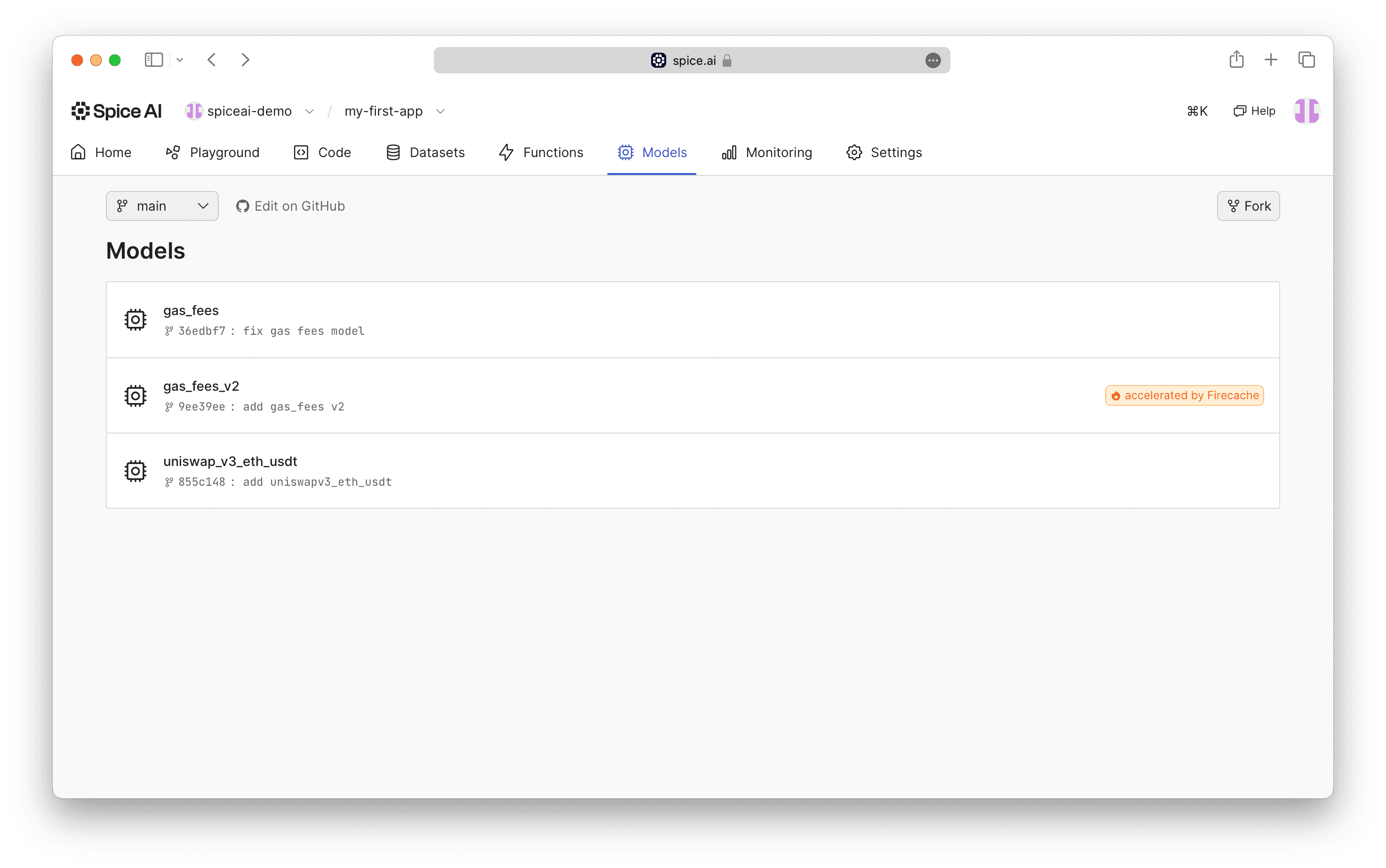
Spice Models defined in model.yaml files automatically detected and imported in the Portal.
Navigating to a specific Model will show detailed information as defined in the model.yaml.
A training run can be started using the Train button.
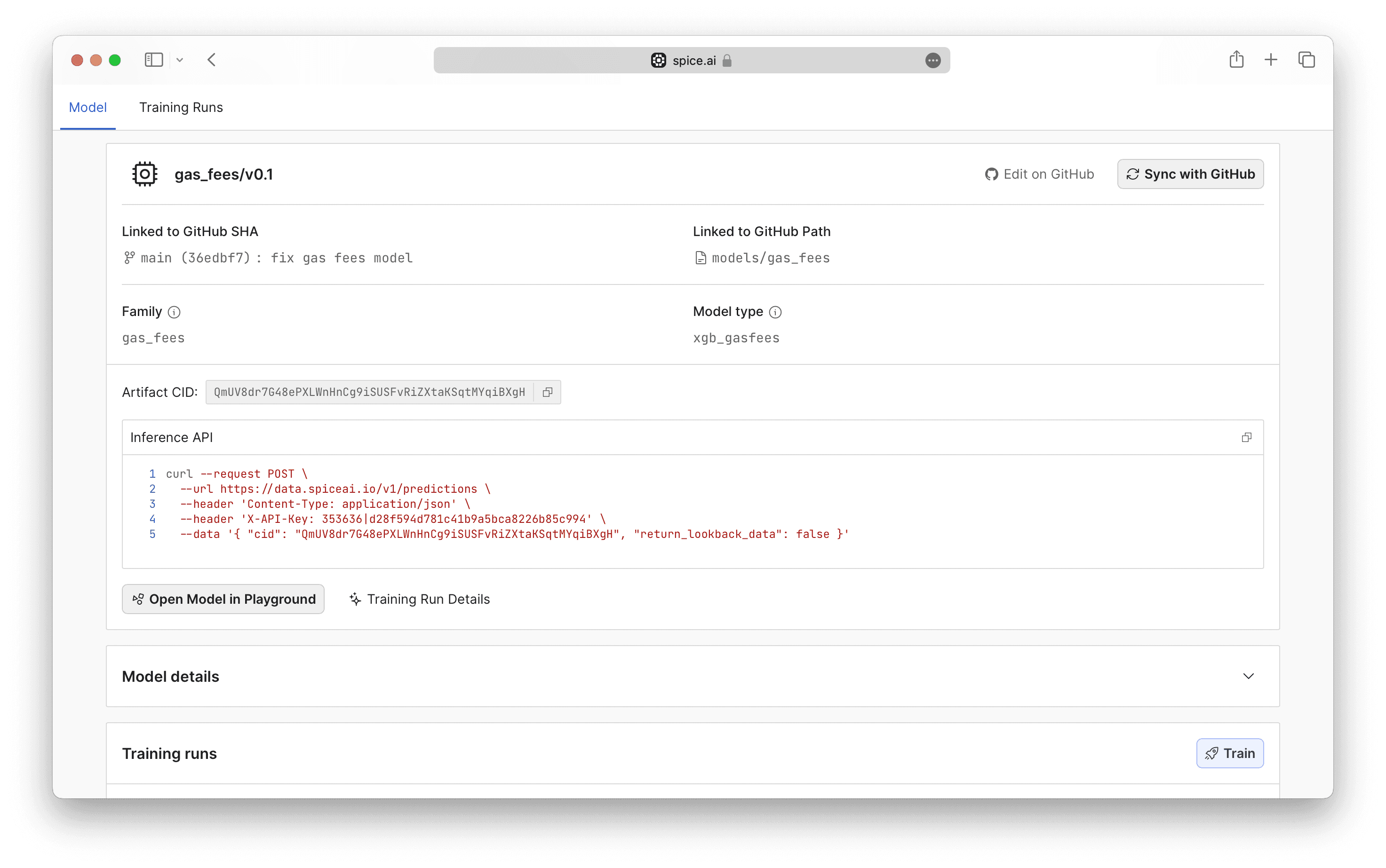
Details for a specific Model.
Training runs in progress will be shown and updated, along with historical training runs.
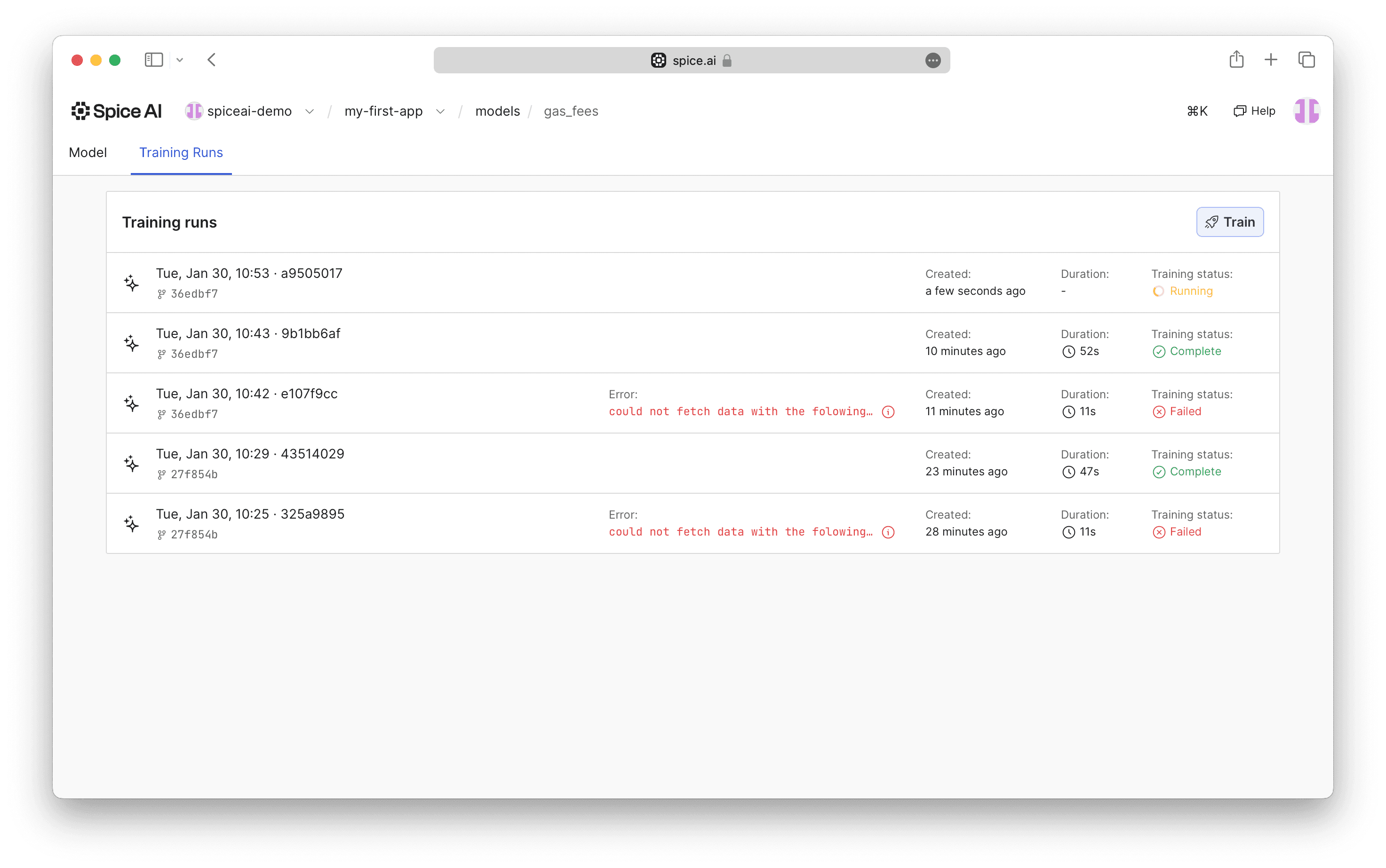
A model training with status "Running".
The Training Status will be updated to Complete for successfully completed training runs. Details and the Training Report, are available on the Training Run page.
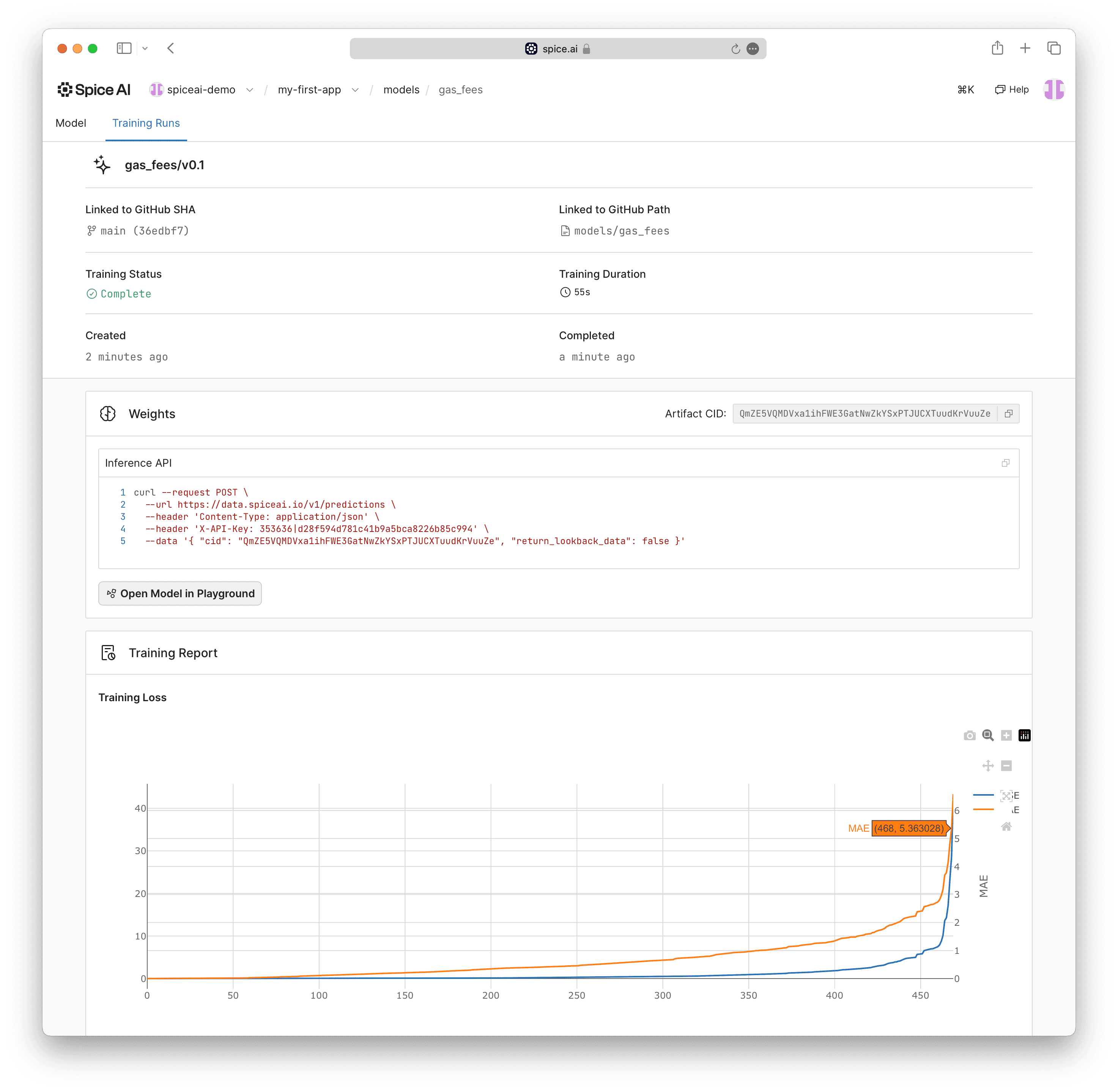
A successfully completed Model training run with status "Complete".
Running Model Predictions
A successfully trained model can be used to make predictions.
The lookback data (inferencing data) is automatically provided by the platform and wired up to the inference, enabling a prediction to be made using a simple API call.
AI Predictions in the Playground
Navigate to AI Predictions in the Playground.
Successfully trained models will be available for selection from the model selector drop down on the right.
Clicking Predict will demonstrate calling the predictions API using lookback data within the Spice platform. A graph of the predicted value(s) along with the lookback data will be displayed.
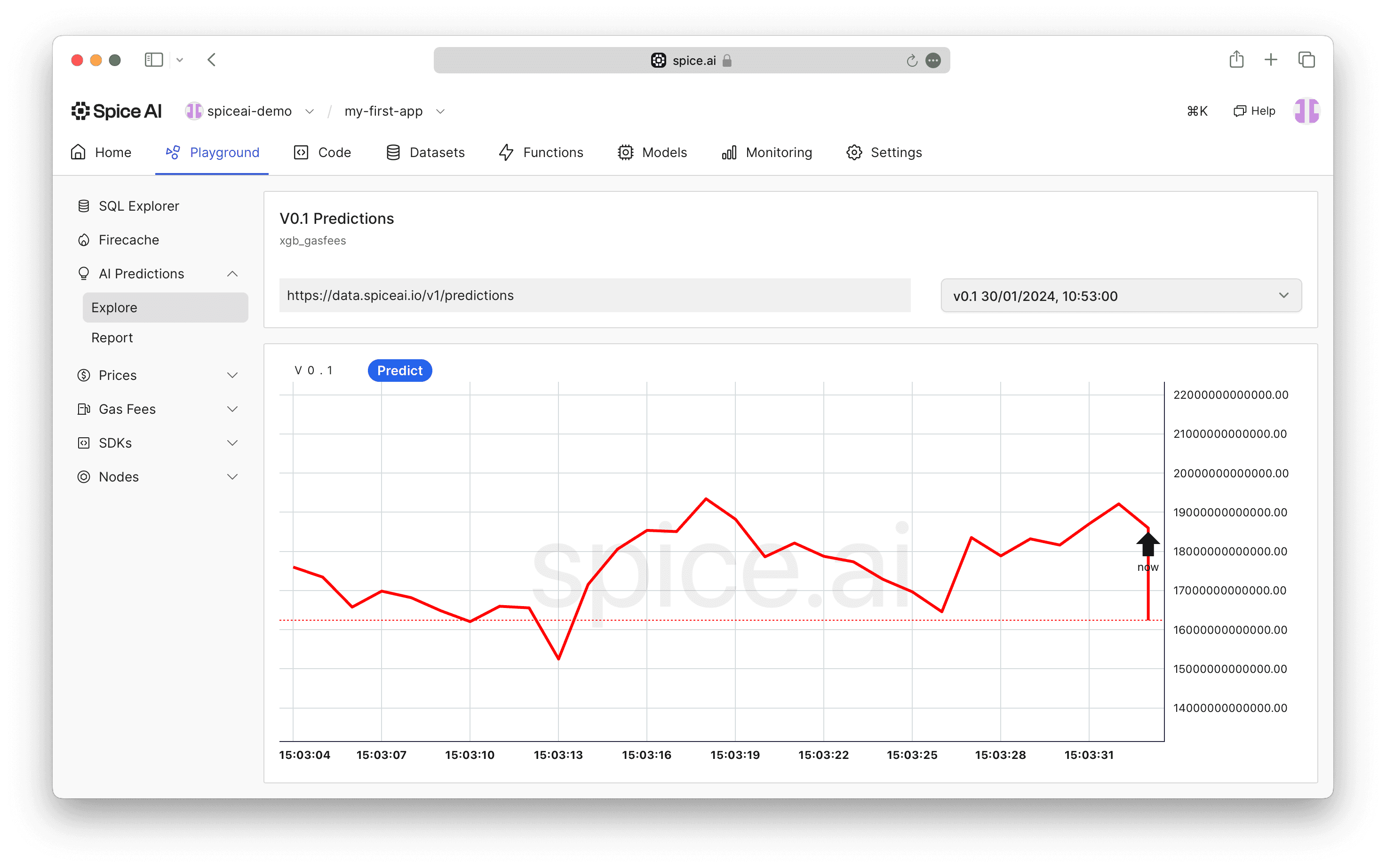
The AI Predictions playground.
Predictions by API
The Training Runs page provides training details including a copyable curl command to make a prediction from the command line.
For details on the API, see Prediction Documentation.
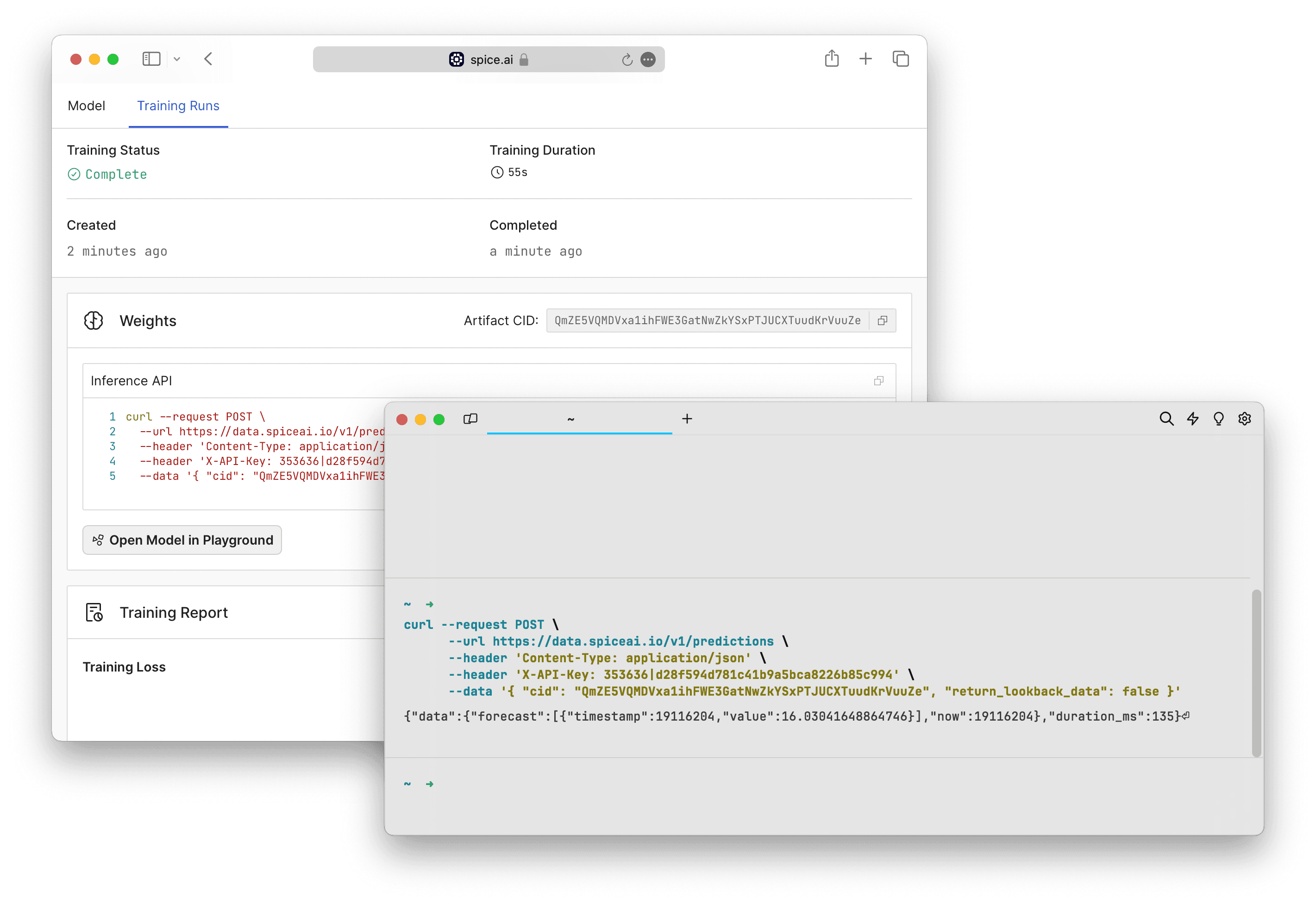
Detailed training run page with the predictions API