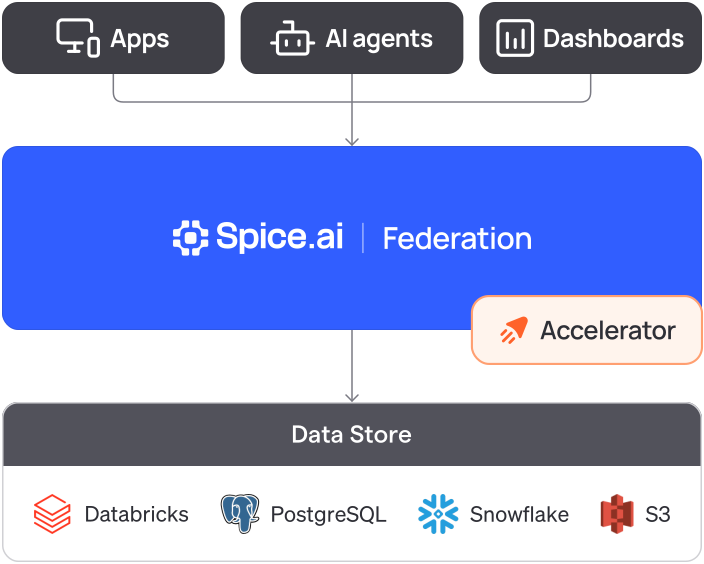

























Query across sources in minutes
# spicepod.yamldatasets: - from: s3://spiceai-demo-datasets/taxi_trips/2024/ name: taxi_trips params: { file_format: parquet, s3_auth: public } - from: postgres:taxi_zones name: taxi_zones params: pg_host: localhost pg_port: 15432 pg_db: taxi pg_user: postgres pg_pass: ${secrets:SPICE_PG_PASS} pg_sslmode: disablesql> SELECT z.zone, COUNT(*) AS trips FROM taxi_trips t -- S3 JOIN taxi_zones z -- PostgreSQL ON t."PULocationID" = z.location_id GROUP BY z.zone ORDER BY trips DESC LIMIT 3;JFK Airport 145240Midtown Center 143471Upper East Side South 142708Time: 2.705 seconds# spicepod.yaml: add to each datasetacceleration: enabled: true$ spice runLoaded 265 rows (30.46 kiB) for dataset taxi_zonesLoaded 2,964,624 rows (399.38 MiB) for dataset taxi_tripssql> -- same query, served from the local copy SELECT z.zone, COUNT(*) AS trips FROM taxi_trips t JOIN taxi_zones z ON t."PULocationID" = z.location_id GROUP BY z.zone ORDER BY trips DESC LIMIT 3;JFK Airport 145240Midtown Center 143471Upper East Side South 142708Time: 0.026 secondsConnect your sources
In a
spicepod.yaml, the Spice configuration file, list each source table. Spice queries each source where it lives.Accelerate the tables you read most
Set
accelerationto enabled. Spice keeps a local acceleration and refreshes it, with no ETL job.Deploy and query
Start Spice with
spice run, or deploy it as a sidecar, at the edge, in your cluster, or on Spice Cloud. Then query from agents, dashboards, or your own apps.