What is Software Supply Chain Security?
Software supply chain security protects everything a team runs but did not write: packages, CI actions, build tools, browser scripts, developer extensions, and model weights.
Most of what a team runs is outside code: packages, CI actions, base images, scripts and models. Pins, filters, scans and an SBOM with provenance check it, so each release has known contents and a verified origin.
Most of the code that runs in production came from someone else. A typical service pulls in hundreds of open-source packages. Its CI pipeline runs third-party actions. Its container starts from a public base image, and its web pages load scripts from outside vendors. Each of those parts comes from a supplier, and each supplier is a possible way in.
Software supply chain security is the set of controls for outside code. The controls decide what code a team accepts, how the team gets it, and how it proves what it shipped. The controls answer three questions. What are we about to run? Did it come from the place we think? After an advisory, can we tell whether we ship the affected part?
Attackers target suppliers because one compromise reaches many victims. The FBI's November 2026 advisory on the ARTEX autonomous penetration testing framework says that its agents map trust relationships between organizations. The agents can then move from a weaker supplier into the larger companies that trust it.
What is in a software supply chain?
A software supply chain is every outside input that reaches a build, a deployment, or a user's screen.
- Packages: libraries from npm, PyPI, crates.io, Maven, and Go modules, with all of their transitive dependencies.
- CI and build tools: GitHub Actions, build images, compilers, and the runners that execute them.
- Base images: the operating system layers under a container image.
- Developer tools: IDE extensions, CLIs, and AI coding agents that run on engineers' machines.
- Browser scripts: analytics tags, testing snippets, and chat widgets that a page loads from another domain.
- Trust stores: the CA bundles that decide which TLS certificates a client accepts.
- Models: model weights, tokenizers, and the other files that a model server loads.
A gap in one layer is enough for an attacker. The sections below go through the attacks first, then the controls layer by layer. A table at the end of the controls summarizes them.
How do supply chain attacks work?
Three incidents from late 2026 show the main patterns. In each one, the victims did not change their own code.
Stolen tokens turn CI into a delivery path
In November 2026, Aikido described a campaign called wfx-loot. Attackers used stolen tokens from 4,837 GitHub accounts to open probe pull requests in 61,764 repositories. In more than 1,800 of those repositories, a payload ran inside a CI workflow.
One variant injected a step into an existing workflow. Another variant added a postinstall hook to package.json, so the payload ran on every install. The payload sent toJSON(secrets) to the attacker's server and collected the job's OpenID Connect (OIDC) token. It then exchanged that token for AWS, Google Cloud, and Azure access. The attacker reverted each change within about a minute, and deleted the workflow run and its logs.
A short-lived OIDC token is safer than a stored cloud key. It is safe only when the cloud trust policy accepts it from one protected environment. Workload identity federation explains how to pin that policy.
Changed code at the source reaches every site that loads it
On November 16, 2026, attackers changed scripts that Optimizely, a website testing service, served to its customers. Scott Helme counted 186 infected sites, including pages at the BBC, Zoom, CNN, and Salesforce. The changed script replaced the crypto wallet addresses that visitors saw with addresses that the attackers controlled. The sites themselves deployed nothing new.
Developer tools run with the developer's access
On October 29, 2026, malicious builds of the Claude Code extension were available in Cursor's VS Code extension marketplace for about 11 hours. Anthropic did not make them. The builds sent host details to the attacker and tried to install an SSH backdoor. An extension runs with the access of the engineer who installs it. Cursor says that uninstalling the extension does not always remove what it installed.
How do you secure a software supply chain?
No single control covers every layer. Start with the repository host, then work outward to packages, build output, releases, and the edges.
Turn on the repository host's security features
On GitHub, Advanced Security is two products. GitHub Secret Protection scans for secrets, blocks a push that contains a known secret format, and checks whether a found secret still works. GitHub Code Security runs code scanning with CodeQL, proposes fixes for its alerts, and reviews the dependency changes in each pull request.
Some features cost nothing. Dependabot alerts and Dependabot updates work on every repository. Private vulnerability reporting works on every public repository, and it gives researchers a private way to report a flaw.
Turn the scanners into gates. A branch ruleset can require code scanning results and resolved secret scanning alerts before a merge. A finding then blocks the change, instead of waiting in a dashboard.
Pin by hash, and install from lockfiles
A tag or a version range is a pointer that its publisher can move. A full commit SHA always names the same code. Pin every third-party GitHub Action to a full SHA. An attacker who takes over an action's repository then cannot change the action's own code.
The pin does not cover what the action downloads when it runs. It also does not cover a container image or another action that it names by tag. Pin container images by digest, prefer actions that pin their own dependencies, and verify each download against a checksum.
GitHub's workflow dependency lockfiles record each pinned action, and the gh actions-lock command from the gh-actions-lock extension writes the file. Every action in an onboarded workflow must then appear in the lockfile. A run also rejects a locked commit that is no longer reachable from its tag.
Package lockfiles do the same job for libraries, but only when CI installs from them.
npm ci
pnpm install --frozen-lockfile
yarn install --immutable
cargo build --locked
Each of these commands fails when the lockfile and the manifest disagree, and none of them resolves a new version on its own. yarn install --immutable needs Yarn 2 or later. Yarn Classic has --frozen-lockfile, but users report cases where it does not fail, such as a change inside a workspace. With Yarn Classic, also check in CI that the install left yarn.lock unchanged.
Wait before you upgrade
Registries and researchers often find and remove a malicious package version within days of its release. A cooldown makes each new version wait before an automated update proposes it. In Dependabot, a cooldown block with default-days sets the wait:
version: 2
updates:
  - package-ecosystem: 'npm'
    directory: '/'
    schedule:
      interval: 'daily'
    cooldown:
      default-days: 10
Renovate has the same control in minimumReleaseAge. Dependabot applies its cooldown to version updates only. Security updates for a known vulnerability do not wait.
A package firewall goes one step further. It sits between CI runners or coding agents and the registry, and it can block a malicious or brand-new version at install time. GitHub's package firewall has been in public preview since October 2026, for GitHub Enterprise Cloud and for npm packages only.
Turn off lifecycle scripts for CI installs where your package manager permits it. Then permit them only for the few packages that need them. The wfx-loot postinstall hook shows the risk: an install script runs before any test or review.
Check what you pull in
A dependency policy tool checks every dependency against your rules before a build passes. For Rust, cargo-deny fails a build on a crate with a security advisory or on a yanked crate. It also fails on a crate from an unknown registry or git source, and it checks licenses.
[advisories]
version = 2
yanked = "deny"

[sources]
unknown-registry = "deny"
unknown-git = "deny"
Give every ignored advisory an owner and a reason. An exception then cannot become permanent by accident.
Sign commits
A signed commit shows which GPG or SSH key made it, not only which account pushed it. A ruleset can require signed commits on protected branches. A signature cannot stop an attacker who also steals the signing key, so keep signing keys on hardware where you can.
Scan for secrets beyond the repository host
Push protection stops new secrets at the repository host. It does not scan history from before you turned it on, laptops, container images, or a built JavaScript bundle. The FBI advisory lists administrator passwords hardcoded in single-page app bundles among the ways ARTEX agents got in.
TruffleHog scans those places. It classifies over 800 secret types and checks each candidate against its provider, so a verified result is a live credential.
# The full history of a local repository
trufflehog git file://. --results=verified,unknown

# Every repository in a GitHub org, forks included. Set GITHUB_TOKEN to a
# token that can read your private repositories.
trufflehog github --org=your-org --include-forks --results=verified

# Build output and your home directory
trufflehog filesystem ./dist ~/ --results=verified,unknown
Treat a verified hit as a breach that already happened. Revoke and rotate the credential first, then remove it from the code. Log masking is not a control either. A workflow that can read a secret can encode it past the mask, or send it to another server.
Know what you ship: SBOMs
A software bill of materials (SBOM) is a machine-readable list of every component in an artifact, with versions. SPDX and CycloneDX are the two common formats. When an advisory names a package, an SBOM answers "do we ship it?" with a query instead of a search through build logs.
Generate the SBOM at build time, from the artifact itself. A scanner sees no Rust crates in a compiled binary unless the build embeds the dependency graph. cargo auditable build embeds it, and tools such as Syft then read the graph from the binary or the image.
Prove where an artifact came from: build provenance
Build provenance is a signed statement of the workflow, source commit, and runner that produced a file. On GitHub, the workflow signs an artifact attestation with its own OIDC identity. A user then checks a download before running it:
gh attestation verify ./artifact.tar.gz --repo your-org/your-repo \
  --cert-identity-regex '^https://github\.com/your-org/your-repo/\.github/workflows/release\.yml@refs/heads/release/' \
  --deny-self-hosted-runners
The identity check is the important part. It accepts a file only when one named workflow attested it from a release branch on a hosted runner. It proves which workflow signed the file. It does not prove that the source was safe or that every earlier build step was sound. Protect the release branches and their workflows too.
Treat browser scripts, developer tools, and models as dependencies
- Browser scripts. Self-host a third-party script that you can pin, and load it with a Subresource Integrity (SRI) hash. The browser then refuses a changed file. A script that its vendor changes in place can carry an SRI hash too. The browser then refuses each new version until someone reviews it and updates the hash. Without SRI, load that kind of script only on the pages that need it, and never on sign-in, checkout, or wallet pages.
- Script limits. A Content Security Policy limits what an injected script can do. A
script-srcallowlist blocks code from new domains.connect-src,img-src, andform-actionallowlists close the common ways to send data out. No policy closes every channel, so use it together with SRI. A reporting endpoint tells you about each blocked attempt. - Developer tools. Allowlist the IDE extensions that engineers can install, and keep production access off the machines that run them. Rebuild any machine that ran a malicious build.
- Models. A model file passes through a parser, and a malicious file can attack that parser. Python pickle files can run code when they load. Prefer formats such as safetensors or GGUF, and pin each model to a repository commit, as you pin a package.
Controls by layer
| Layer | What can go wrong | Control |
|---|---|---|
| Source and repository | A secret lands in a commit, or a vulnerable change merges | Secret scanning with push protection, code scanning, and a ruleset that blocks merges |
| CI workflows | A moved tag or a stolen token runs an attacker's step | Actions pinned to full SHAs, a workflow lockfile, and least-privilege workflow tokens |
| Packages | A malicious or vulnerable version installs | Lockfile installs, a cooldown, a package firewall, and policy checks |
| Install scripts | A postinstall hook runs on every machine | Lifecycle scripts off in CI, with an allowlist |
| Build output | A secret or a vulnerable component ships in the artifact | Secret scans of the output, and an SBOM generated from the artifact |
| Release artifacts | A user runs a file that your workflow did not build | Build provenance attestations, checked before install |
| Browser scripts | A vendor's script changes on every site that loads it | SRI, page scoping, and a Content Security Policy |
| Developer tools | An extension installs a backdoor | An extension allowlist, and a rebuild after an incident |
| Models | A model file attacks its loader, or the weights change | Safe file formats, and models pinned to a commit |
| Trust stores | A client trusts a compromised certificate authority | Prompt CA bundle and OS trust store updates |
Advanced Topics
SLSA build levels
SLSA (Supply-chain Levels for Software Artifacts) defines build levels for provenance. At Build L1, provenance exists and describes how the artifact was built. At Build L2, a hosted build platform generates and signs the provenance. At Build L3, the build platform is hardened, so one build cannot tamper with another build or forge its provenance.
Hosted CI with signed artifact attestations meets Build L2. Build L3 also needs isolated, short-lived build environments, and signing secrets that the user-defined build steps cannot read. Provenance at any level shows how an artifact was built. It does not show that the source code or its dependencies are safe.
VEX statements
An SBOM can over-report. In a Rust workspace, cargo-auditable resolves features across the whole workspace. A binary's SBOM can then list a crate that the binary does not contain, although it never leaves one out. When a scanner flags such a crate, run cargo tree -i <crate> at the release tag, with the release build's target, features, and --edges normal. Then check the artifact itself before you issue a VEX statement, because a different configuration can give a different answer.
A Vulnerability Exploitability eXchange (VEX) statement records the answer, for example not_affected with the justification component_not_present. Never edit a published SBOM. If an attestation covers it, an edited copy fails verification.
Reproducible builds
A reproducible build produces bit-for-bit identical output from the same source and toolchain. An independent party can then rebuild an artifact and compare the hashes. That check does not depend on trust in one build platform. Reproducibility takes work, because timestamps, file order, and absolute paths in the output must not change between builds.
Attest an SBOM to its artifact
Sign the SBOM to the same artifact digest as the provenance, for example with GitHub's actions/attest-sbom action. A verifier then knows that the inventory describes that exact file, and not another build with the same name. The two attestations together answer both questions: what the file contains, and which workflow built it.
Software Supply Chain Security with Spice
Starting with the upcoming Spice v2.5.0, each open-source release publishes a SHA256SUMS file and a build provenance attestation for every release file. The release workflow signs each attestation, and only on a release branch. Verify a download before you run it, whether Spice runs on a laptop or across edge and cloud deployments.
gh attestation verify spice_linux_x86_64.tar.gz --repo spiceai/spiceai \
  --cert-identity-regex '^https://github\.com/spiceai/spiceai/\.github/workflows/build_release\.yml@refs/heads/release/' \
  --deny-self-hosted-runners
Spice.ai Enterprise releases ship an SPDX 2.3 SBOM for each release archive and each container image, with SBOM and build provenance attestations. A release does not publish without them. cargo-deny checks the runtime's dependencies every day.
Models are dependencies in Spice too. For AI model serving and LLM inference, a Spicepod can pin a Hugging Face model to a repository commit with from: huggingface:huggingface.co/<repo>:<commit>. The Running GLM Locally recipe serves GLM-4.7-Flash with Spice's built-in llama.cpp engine and shows where that commit goes. Until a Spice release includes the engine, the recipe needs a Spice build from trunk.
Software Supply Chain Security FAQ
An SBOM (software bill of materials) is a machine-readable list of every component in an artifact, with versions. SPDX and CycloneDX are the two common formats. When an advisory names a package, an SBOM shows which of your artifacts ship it.
An SBOM lists what is inside an artifact. Build provenance is a signed statement of the workflow, commit, and runner that built the artifact. One answers what you ship, and the other answers where it came from.
A publisher, or an attacker who controls the publisher's repository, can move a tag to new code. A full commit SHA always points to the same code. Pinned actions and a workflow lockfile stop a changed action from running in your CI.
Dependabot applies its cooldown to version updates only, so security updates for a known vulnerability do not wait. Check the same setting in other update tools. The cooldown gives registries time to find and remove a malicious release.
Treat the finding as a breach that already happened. Revoke and rotate the credential first, from a trusted machine. Then remove it from the code, and check the provider's logs for any use of the old credential.
Learn more about software supply chain security
Resources on verifying downloads, the controls Spice AI runs, and how a certificate authority compromise reaches every TLS client.
Verifying a Spice Download
Check a release file against its SHA256SUMS entry and its build provenance attestation before you run it.
How Spice AI Secures Infrastructure Against Machine-Speed Attacks
The controls Spice AI runs against AI-driven attacks, from workload identity and raze-rebuild to supply chain checks.
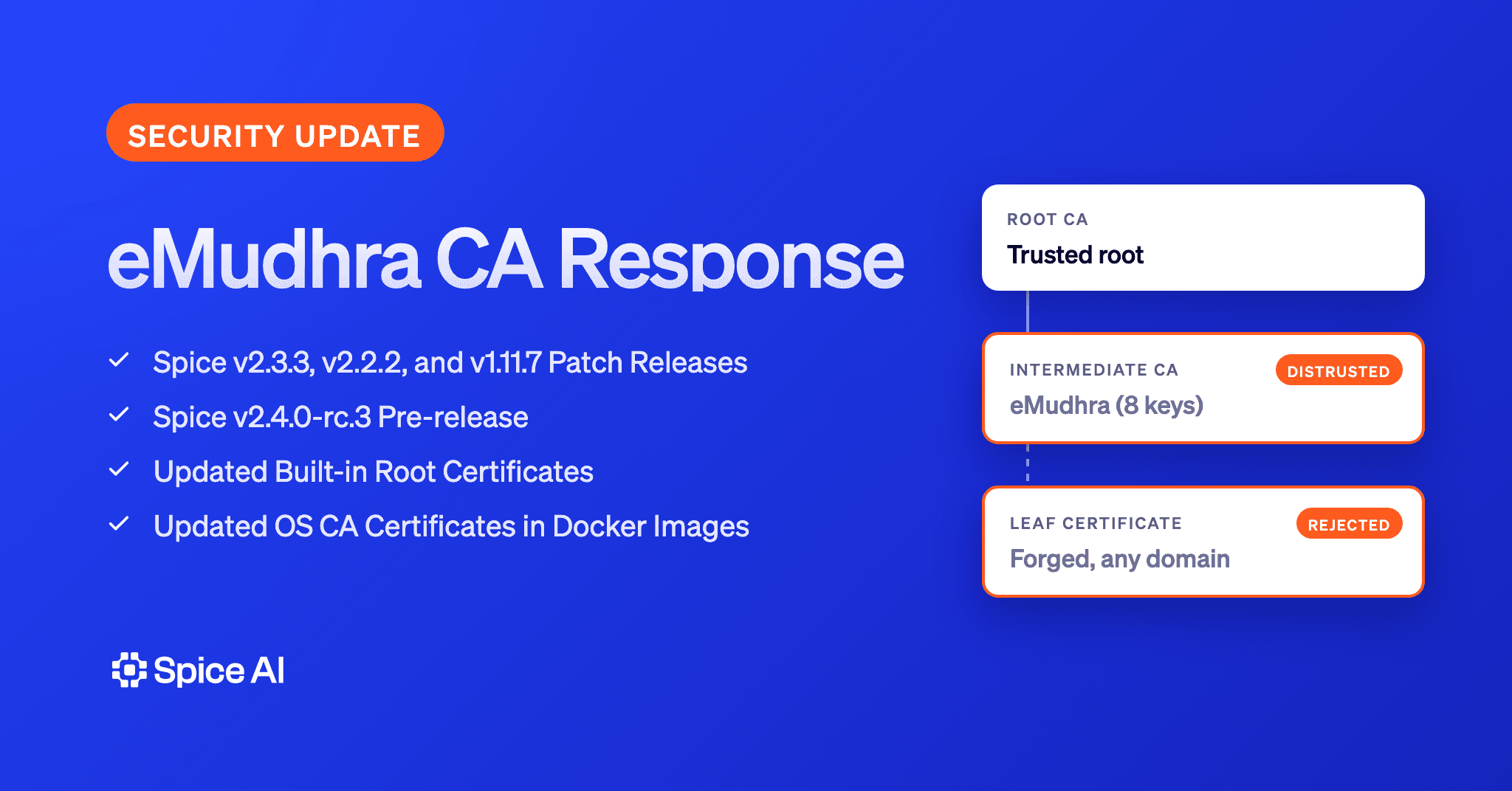
How Spice AI responded to the eMudhra certificate compromise
How a compromised certificate authority reaches every TLS client, and the releases that stopped trusting it.
See Spice in action
Get a guided walkthrough of how development teams use Spice to query, accelerate, and integrate AI for mission-critical workloads.
Get a demo (opens in a new tab)