What Are Encryption in Transit and Encryption at Rest?
Encryption in transit protects data while it moves across a network, and encryption at rest protects data while it sits on a disk, in a backup, or in an object store.
Without encryption, a wire tap and a stolen disk copy both read plaintext. With TLS that refuses a forged certificate, storage encryption, and a separate key service, both get ciphertext only.
Data spends its life in two states. It moves between clients, services, databases, and storage, and it sits on disks, in snapshots, in backups, and in object stores. Each state has its own attacker, so each state needs its own encryption.
Encryption in transit protects data on the network. An attacker who can watch or change traffic between two systems sees only ciphertext, and cannot impersonate the server. TLS also authenticates the client only when both ends use mutual TLS, which a later section covers.
Encryption at rest protects stored data. An attacker who copies a raw disk, a snapshot, or a backup gets ciphertext without the key. A read through the storage API is different: storage encryption decrypts the object, even for an anonymous read from an exposed bucket. Only data that the application encrypted stays ciphertext.
Neither one stops a valid credential. A service account that can query a database reads plain text, whatever the disk and the network do. Encryption limits what a stolen copy or a stolen network position is worth. Least privilege and short-lived credentials limit what a stolen credential is worth. A secure system needs both.
What does each type of encryption protect against?
The two types answer different threats, use different mechanisms, and keep their keys in different places:
| Encryption in transit | Encryption at rest | |
|---|---|---|
| Threat | An attacker who can read or change traffic on a network | An attacker who gets raw storage media: a disk, a snapshot, or a backup copy |
| Mechanism | TLS, and mutual TLS between services | Storage encryption (AES-256), field-level encryption, and envelope encryption |
| Where the keys live | A certificate and a private key on each endpoint | A key management service (KMS) or a hardware security module, apart from the data |
| What it does not stop | A compromised endpoint, or a client that skips certificate checks | A credential or a process that reads the data through the storage API, including an anonymous read from an exposed bucket, which returns plaintext |
The last row matters most. Storage encryption protects stolen raw media. A read through the storage API, such as a download from an exposed bucket, returns plaintext. To keep ciphertext in that case, encrypt the data in the application with keys kept apart from the store. Encryption is one layer. It works together with access control, not in place of it.
How does encryption in transit work?
TLS builds an encrypted, verified channel
Transport Layer Security (TLS) runs under protocols such as HTTPS, gRPC, and the Postgres wire protocol. During the handshake, the server presents a certificate. The client checks that a trusted certificate authority (CA) signed it and that its name matches the host the client wanted. The two ends then agree on session keys, and every later byte is encrypted and authenticated.
Encryption without verification is not enough. A client that skips the certificate check encrypts its traffic to whoever answers, and that can be an attacker in the middle.
Use TLS 1.2 or later, and prefer TLS 1.3
TLS 1.0 and 1.1 have known weaknesses, and the major browsers removed them. TLS 1.2 is still safe with modern cipher suites. TLS 1.3 removes the older suites completely and finishes the handshake in one round trip. Set the minimum version to TLS 1.2 on every load balancer, proxy, and server, and turn off old cipher suites such as RC4 and 3DES.
Enforce TLS where the data lives
A client setting is easy to get wrong. A policy at the storage layer catches the mistake. On Amazon S3, for example, a bucket policy can deny every request that does not use TLS.
{
  "Version": "2012-10-17",
  "Statement": [
    {
      "Sid": "DenyPlainHttp",
      "Effect": "Deny",
      "Principal": "*",
      "Action": "s3:*",
      "Resource": [
        "arn:aws:s3:::example-bucket",
        "arn:aws:s3:::example-bucket/*"
      ],
      "Condition": {
        "Bool": {
          "aws:SecureTransport": "false"
        },
        "BoolIfExists": {
          "aws:PrincipalIsAWSService": "false"
        }
      }
    }
  ]
}
S3 then rejects a plain HTTP request from a misconfigured client. The rejection happens at S3, after the request crossed the network, so also configure each client to use only HTTPS. AWS removes the TLS details from calls that its services make for you, so the aws:PrincipalIsAWSService condition keeps the deny from blocking them. An anonymous request carries no aws:PrincipalIsAWSService key, so the condition uses BoolIfExists. With Bool, a missing key makes the condition false, and a public bucket would still serve plain HTTP.
Websites use HTTP Strict Transport Security (HSTS) for the same reason. The header below tells browsers to use only HTTPS for two years, on every subdomain. The preload directive marks the domain as ready for the browser preload list, but it does not add the domain. Submit the domain at hstspreload.org, and wait for browsers to include it. Until then, a browser with no cached policy can make its first request over plain HTTP.
Strict-Transport-Security: max-age=63072000; includeSubDomains; preloadVerify the certificate, not only the encryption
Database drivers make the verification level a setting. Postgres clients name it sslmode. Its levels form a ladder, from the strictest to the weakest.
verify-full: require TLS, verify the CA, and check that the host name matches the certificate.verify-ca: require TLS and verify the CA, but do not check the host name.require: require TLS, but do not verify the certificate.prefer: try TLS, and fall back to plain text if the server does not offer it.disable: never use TLS.
Use verify-full for any connection that leaves the host. The trap is prefer. It looks safe, because it uses TLS when the server offers it. An attacker in the middle can make the server look like it does not offer TLS. The client then sends its password in plain text. Set the mode explicitly on every connection, because some drivers default to prefer.
Use mutual TLS between services
In standard TLS, only the server proves its identity. In mutual TLS (mTLS), the client also presents a certificate, and the server rejects a client without a trusted one. Mutual TLS is the usual choice between services inside a system, such as the nodes of a cluster. A machine without a certificate from the cluster's CA cannot join, even if it reaches the network.
Keep trust stores current
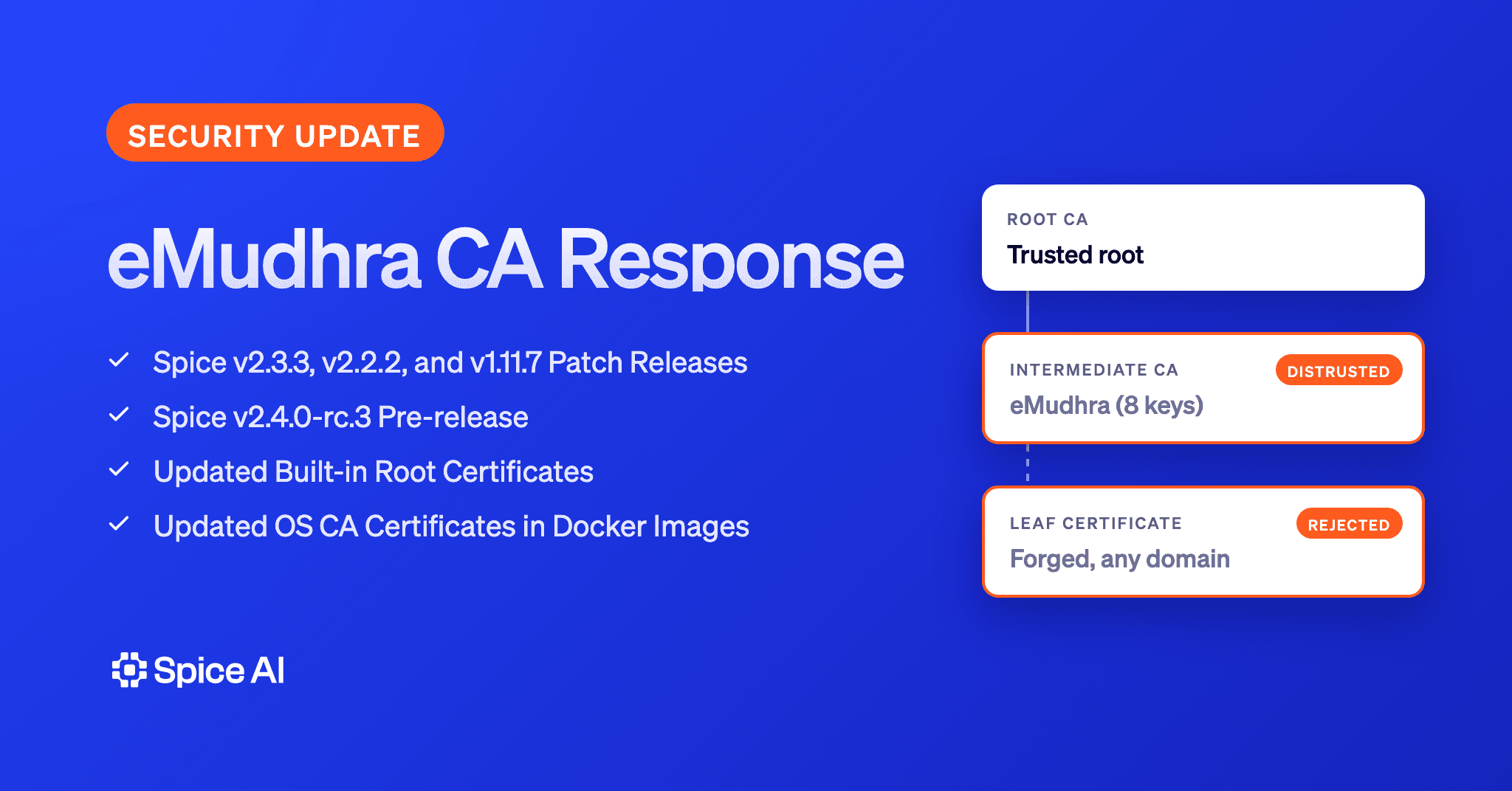
A client trusts every CA in its trust store. When a CA is compromised, every certificate it signs looks valid until the trust store removes it. In October 2026, the private keys of eight eMudhra intermediate CA certificates turned out to be recoverable from the certificates themselves. Browsers blocked them within days. Server-side clients stayed exposed until a software or trust store update removed them. Treat updates to CA bundles and operating system trust stores as security patches.
Rotate certificates without downtime
Short-lived certificates limit what a stolen private key is worth. A tool such as cert-manager or SPIRE can issue certificates that last hours or days and renew them on a schedule. A server that reloads its certificate file when the file changes picks up each renewal without a restart. Without reload, short lifetimes turn into frequent restarts, and teams then choose long lifetimes instead.
How does encryption at rest work?
Storage encryption protects disks, snapshots, and backups
Most databases, block volumes, and object stores encrypt data at rest with AES-256. The storage layer encrypts on write and decrypts on read, so applications do not change. Turn it on everywhere it is a setting, including backups and snapshots, which often outlive the system that made them.
Storage encryption has a clear limit. It protects against an attacker who has the disk or the backup, not against an attacker who has a database login. A SQL query through a valid connection returns plain text.
Field-level encryption protects the most sensitive values
For secrets such as connection credentials and API tokens, add a second layer. The application or the database encrypts each value with its own key before the value reaches storage. A query without the key returns ciphertext, so a leaked read-only credential does not expose the secrets.
Give each key a version, and store the version with each value. A read can then accept the current key and the previous key. A rotation re-encrypts the values in the background, and no read fails while the rotation runs.
Envelope encryption keeps the master key in one place
Envelope encryption uses two kinds of key. A data encryption key encrypts the data. A key encryption key, kept in a KMS, encrypts the data encryption key. The system stores the wrapped data encryption key next to the data, and asks the KMS to unwrap it when it needs to decrypt. The master key never leaves the KMS, and every unwrap leaves an audit record.
Keep the keys apart from the data
A key stored next to the data protects nothing. Keep keys in a KMS or a secret manager, and grant the permission to decrypt separately from the permission to read the data. In October 2026, an attacker exploited a flaw in one Northflank API component. That component held both the database credentials and the keys for stored secrets. The attacker had a working decryption script within six minutes of its first search.
Keep decryption in one small service that does nothing else. Give each caller its own permission, for only the secrets it needs. A flaw in a user-facing component then reaches ciphertext, not every secret. A compromised caller can still decrypt the secrets in its own permission.
Encrypt local copies and laptops
Caches, query engines, and analytics tools often copy data to local files. Put those files on encrypted volumes, such as encrypted cloud block volumes or a Kubernetes storage class with encryption turned on. Laptops count too. Full-disk encryption turns a lost laptop into a hardware loss instead of a data breach.
Use customer-managed keys where revocation matters
A provider-managed key protects the disk, but you cannot turn it off. A customer-managed key in your own KMS gives you a switch: disable the key, and the provider can no longer unwrap data keys with it. A data key that a service already unwrapped and cached keeps working until the service drops it. Plaintext copies that already exist also stay readable. Use customer-managed keys for data with strict revocation needs, and accept the extra work of key policies and rotation.
When do you need each one?
Most systems need both. The question is which layer does the work in each part of the system, and where its keys live. These examples show the pattern:
- An application and its database in different zones. Encryption in transit with
verify-fullprotects the credentials and query results on the network. Storage encryption protects the database's disks and backups. - An analytics engine that copies source data locally. TLS protects the copy on its way in. An encrypted volume protects the local files after they land.
- A store of connection credentials. Field-level encryption with versioned keys protects each secret, even from someone who can query the table.
- Backups shipped to another region. Storage encryption protects the backup files, and a separate KMS key in that region limits who can restore them.
- A multi-tenant platform. Mutual TLS between services stops an unknown process from calling internal APIs. A customer-managed key per tenant lets each customer stop new decryption of their own data.
Encryption also works best with identity controls. A service that gets short-lived credentials through workload identity federation has no long-lived database password. An attacker then has no stored password to use against the encrypted store.
Advanced Topics
Rotate keys without breaking reads
Rotation has two parts: start writing with the new key, then re-encrypt old data. Between the two, readers need both keys. A versioned key ring with a current and a previous key covers that window. Finish one rotation before you start the next, because a ring of two keys cannot read a value that is two versions old. Run rotation from automation, so that no person handles the key material.
Envelope encryption and KMS limits
A KMS sets request rate limits, and each call adds network latency. Do not call the KMS for every row. Unwrap a data encryption key once, cache it in memory for a short time, and encrypt many values with it. AWS KMS also encrypts at most 4 KB of data directly. So encrypt the data with a local data key, and encrypt only that key with KMS.
TLS inside a VPC and service meshes
A private network is not a trusted network. An attacker who reaches one host can often read or redirect the traffic of its neighbours. A service mesh such as Istio or Linkerd can add mutual TLS between services without code changes, with sidecars that hold short-lived certificates. Istio's sidecars are Envoy proxies, and you can also run Envoy on its own as a gateway that requires client certificates. The mesh protects the hop between sidecars. Check that nothing bypasses it, such as host-network pods or direct node ports.
Post-quantum key exchange
An attacker can record encrypted traffic today and keep it. A future quantum computer could then break the classical key exchange and decrypt the recording. Hybrid key exchange, such as X25519MLKEM768, combines a classical algorithm with the ML-KEM post-quantum algorithm. Chrome and Cloudflare already use it by default. Turn it on where your TLS library supports it, and start with connections that carry long-lived secrets.
Encrypt backups with their own keys
A backup that uses the production key fails together with production. Encrypt backups with a separate KMS key, ideally in a separate account, and give restore permission to a small group. A separate key stops an attacker who takes over production from reading the backups, but it does not stop deletion. In the backup account, deny production identities delete and administrative access. Also turn on immutable retention, such as S3 Object Lock or AWS Backup Vault Lock. Test a restore on a schedule, because an encrypted backup that nobody can restore protects nothing.
Encryption and performance
Modern CPUs encrypt AES in hardware, so storage encryption costs little. TLS 1.3 shortens the handshake to one round trip, and session resumption skips most of the handshake on reconnect. Connection pools reuse TLS sessions, so the handshake cost spreads over many queries. Measure before you remove a layer for speed. The cost is usually in connection setup, not in the bytes.
Encryption with Spice
The Spice runtime encrypts its own endpoints with TLS. It reloads the certificate files when they change, so a tool such as cert-manager can rotate them without a restart. Its Postgres connector verifies the server certificate by default. The SQL federation and acceleration platform connects to sources with settings such as these:
runtime:
  tls:
    enabled: true
    certificate_file: /etc/spice/tls/tls.crt
    key_file: /etc/spice/tls/tls.key

datasets:
  - from: postgres:orders
    name: orders
    params:
      pg_host: db.internal.example.com
      pg_db: shop
      pg_user: ${ secrets:pg_user }
      pg_pass: ${ secrets:pg_pass }
      pg_sslmode: verify-full
      pg_sslrootcert: /etc/spice/tls/db-ca.pem
The Postgres connector defaults to verify-full for queries. Change data capture over the WAL stream defaults to prefer instead, so set pg_sslmode explicitly there. Spice.ai Enterprise requires mutual TLS between the nodes of a distributed query cluster in production. An accelerated dataset copies data to local DuckDB, SQLite, or Spice Cayenne files, so keep those files on encrypted volumes.
The Encryption in transit using TLS recipe creates a CA and signs certificates for the Spice runtime and a Postgres instance. It then connects the two over TLS. The Mutual TLS (mTLS) Authentication recipe adds client certificates, so only trusted clients can connect, and needs the Enterprise distribution.
Spice Cloud encrypts data in transit with TLS 1.2 or later. It keeps the database, its backups, and the project stores encrypted at rest with AES-256. It encrypts stored secrets again with a versioned key that no person handles.
Encryption in Transit and at Rest FAQ
Encryption in transit protects data that moves across a network, usually with TLS. Encryption at rest protects stored data on disks, in backups, and in object stores. Most systems need both, because each one stops a different attacker.
Yes. TLS 1.2 is safe with modern cipher suites, and TLS 1.3 is the better choice where both ends accept it. Turn off TLS 1.0, TLS 1.1, and old cipher suites such as RC4 and 3DES.
Not by itself. Storage encryption protects a copied disk or backup, but a valid database login still reads plain text. Add field-level encryption for secrets, and keep the decryption keys apart from the data.
Mutual TLS (mTLS) is TLS in which both ends present certificates. The server rejects a client that has no certificate from a trusted CA. Teams use it between services and between the nodes of a cluster.
With prefer, the client falls back to plain text when the server does not offer TLS. An attacker in the middle can force that fallback and read the password. Use verify-full, which requires TLS and checks the certificate and host name.
Learn more about encryption
Docs and posts on TLS in the Spice runtime, certificate trust, and the security controls that sit next to encryption.
TLS in the Spice runtime
Turn on TLS for the HTTP and Arrow Flight SQL endpoints, load certificates from files or secrets, and reload rotated certificates.

How Spice AI Secures Infrastructure Against Machine-Speed Attacks
The controls Spice AI runs against AI-driven attacks, from workload identity and encryption to the software supply chain.
How Spice AI responded to the eMudhra certificate compromise
Why server-side TLS clients were exposed when browsers were not, and how Spice stopped trusting the compromised intermediate CAs.
See Spice in action
Get a guided walkthrough of how development teams use Spice to query, accelerate, and integrate AI for mission-critical workloads.
Get a demo (opens in a new tab)