Spice Cloud Update: 1.6K to 24K QPS Point Lookups
Spice Cloud
Releases

Wyatt Wenzel
DevRel & Ops Leader at Spice AIOctober 2, 2026
The less data a query reads, the faster it executes. In September we helped Spice read less. Simple and fast!
Point lookups execute significantly faster from improvements across the query engine and results cache to shipping Spice Cayenne secondary indexes and clustering. Spice Cloud now supports Slack notifications, a new MySQL analytics replica quick-start to deploy a high-throughput replica in minutes, and AI categorization for issues and alerts.
Before we get into the details, a plug for the first episode of The Spice Rack Livestream on October 7th at 12:00 pm PST. Come hang with the engineering team and learn what Spice is building. Register for the livestream on LinkedIn!

New in Spice Cloud
Slack Notifications for monitors and alerts
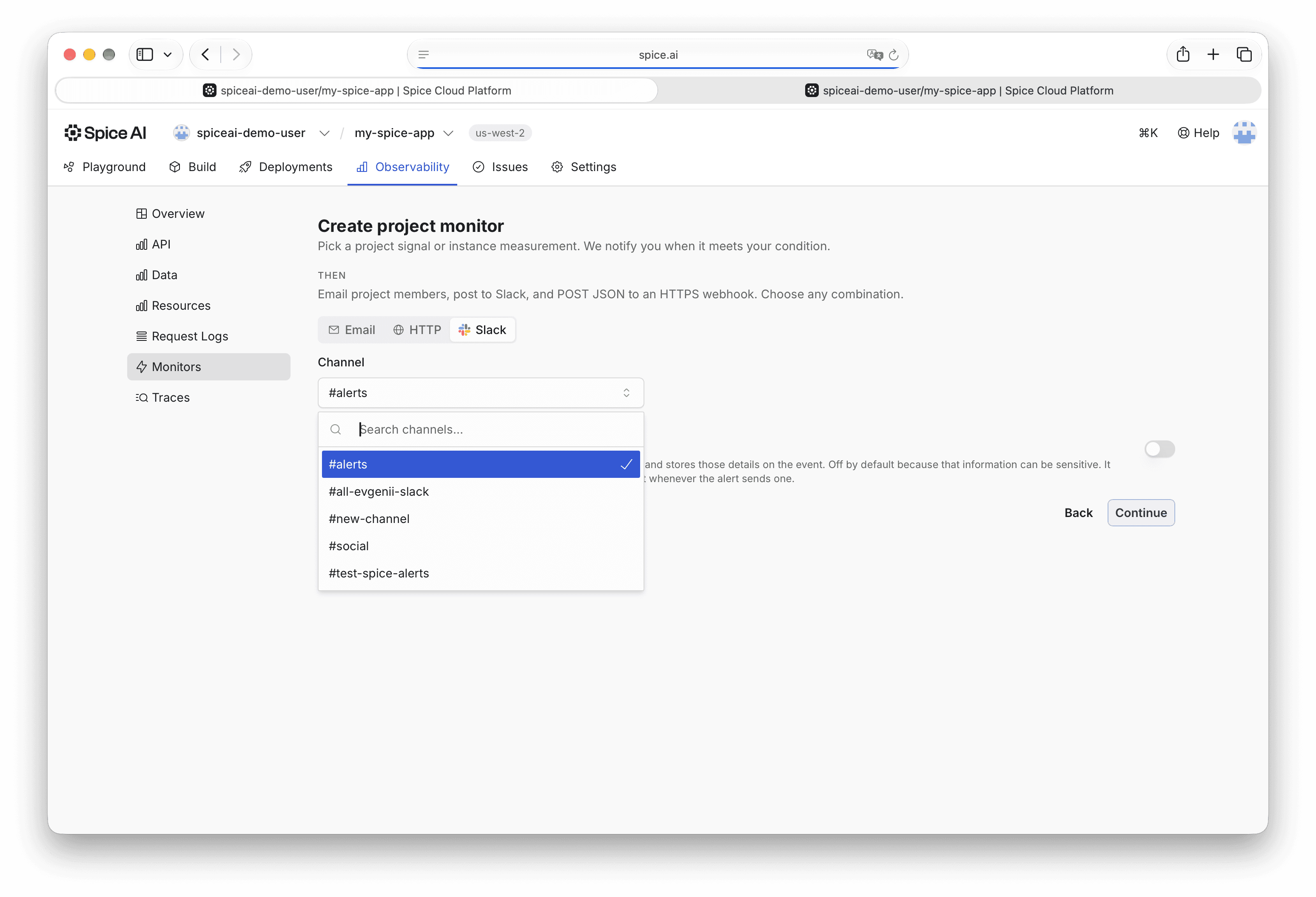
Figure 1: Slack notification example
Spice Cloud now supports Slack for monitors and alerts in addition to email and webhooks. Connect a workspace, pick a channel, and get alerts for SQL query failures, p99 latency alerts, LLM failures, and more in your Slack workspace.
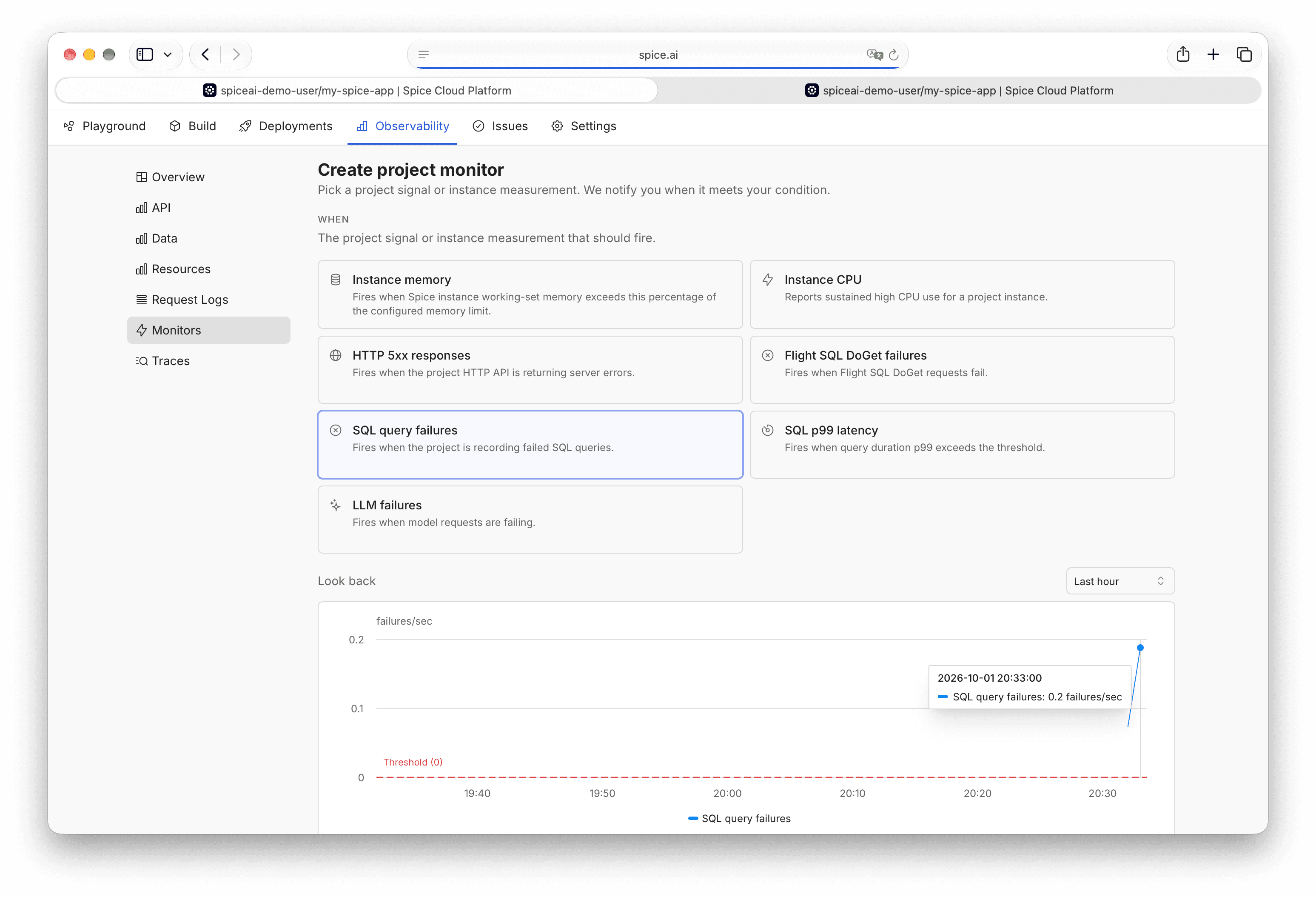
Figure 2: Slack notification categories
Deploy a MySQL analytics replica in minutes
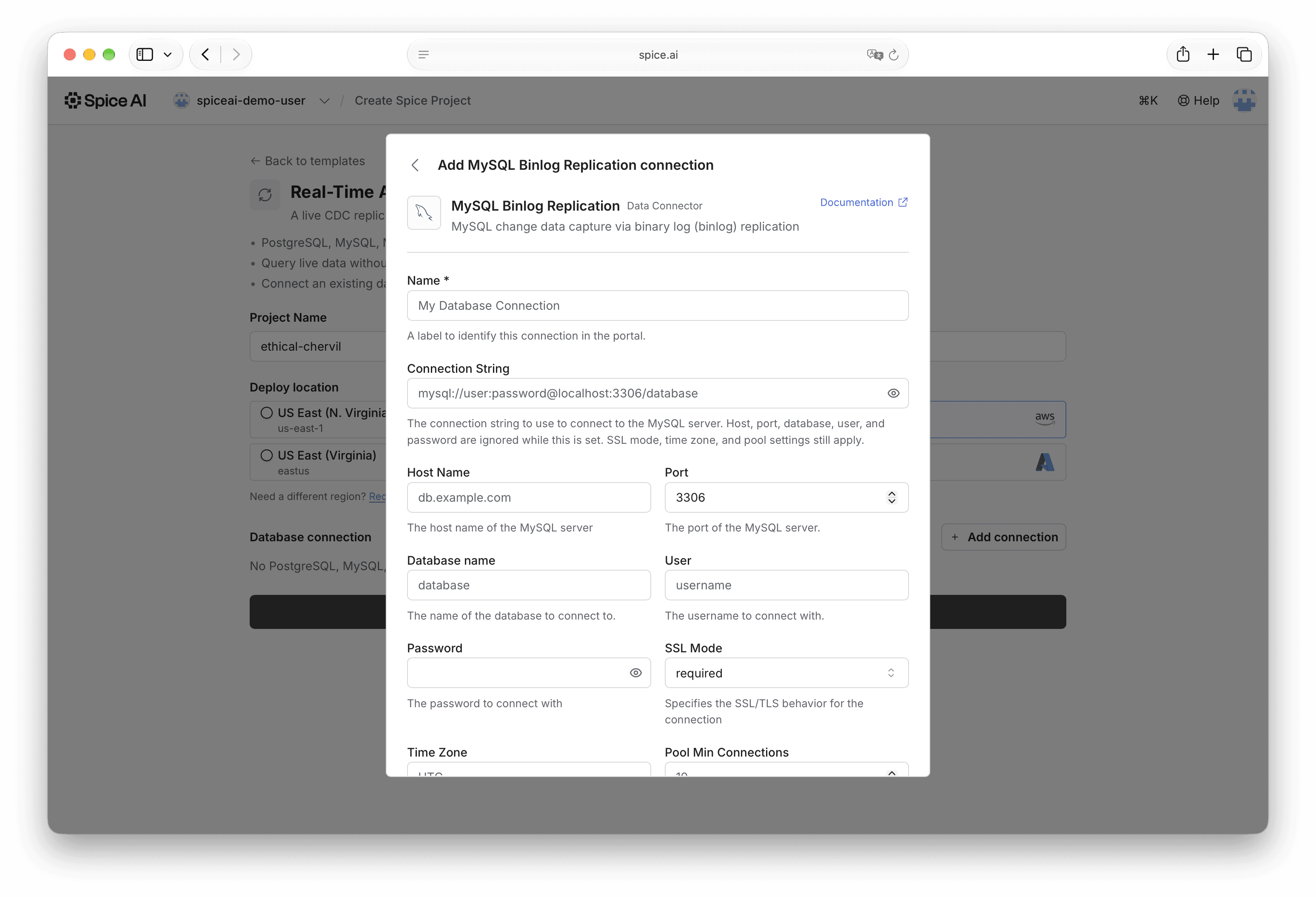
Figure 3: MySQL analytics replica template
Running analytical (OLAP) queries directly against operational (OLTP) databases like MySQL has significant performance and scaling challenges. With Spice, you can deploy an analytics replica that absorbs the analytical query load while staying current with real-time CDC replication. The new MySQL analytics replica quick-start deploys a replica in a few clicks; connect your MySQL instance, choose the tables to replicate, Spice loads an initial snapshot, and then replicates changes in real-time from the MySQL binlog.
AI categorization of issues and alerts

Figure 4: AI categorization in the Spice admin portal
Spice now automatically categorizes operational alerts and issues using TypeSafe’s Jev, an AI decision model that makes classification super fast and accurate. We’ve also added Jev support to the upcoming Spice runtime v2.4.x release, along with a decisions API that works with any major LLM provider, and made it easy to leverage decision models from SQL.
Cluster monitoring
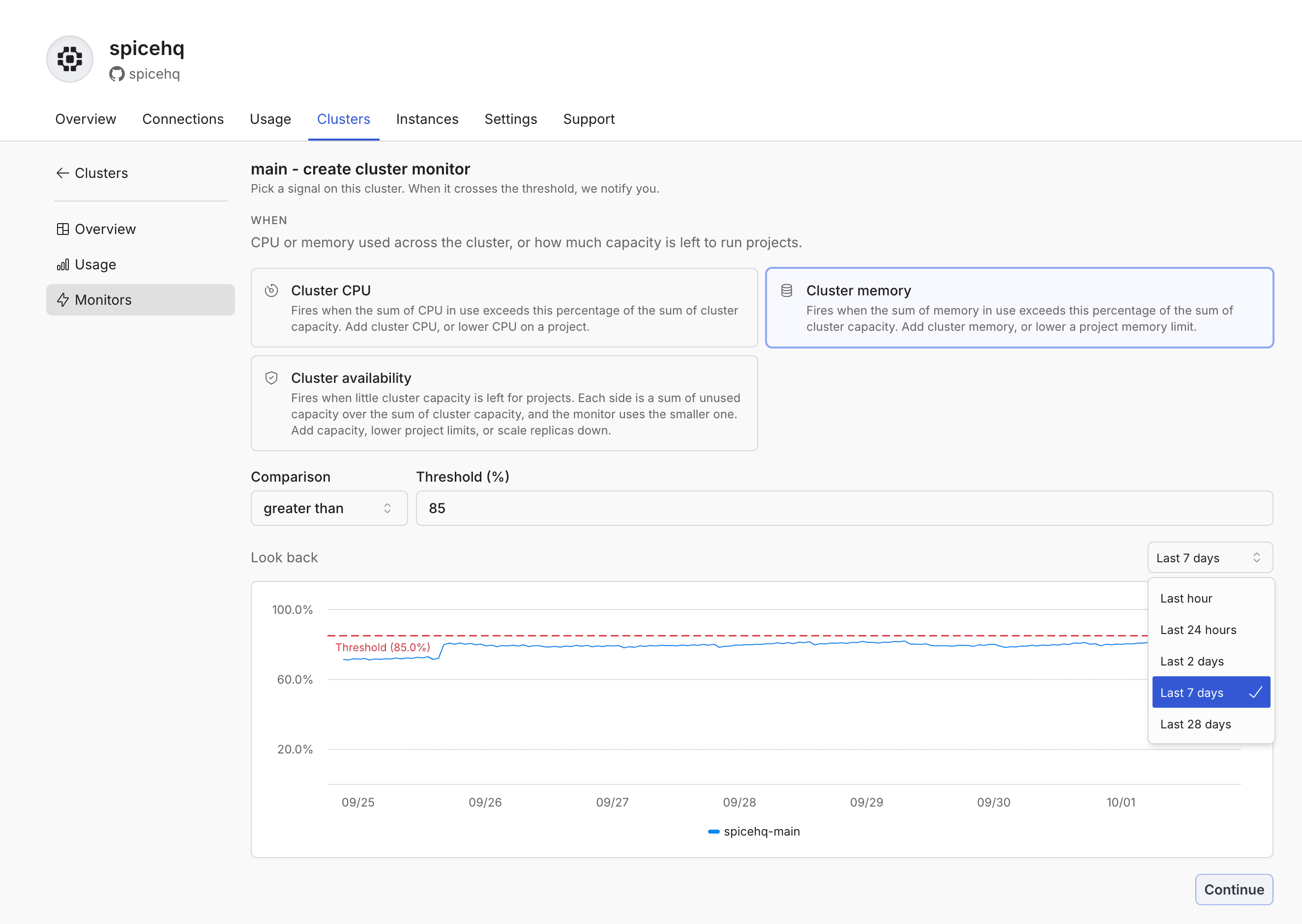
Figure 5: Cluster monitoring dashboard
Spice Cloud Clusters now have expanded monitoring, with the ability to configure thresholds and get notified when resources like node CPU or memory usage exceed configured thresholds. See how to set up monitoring in the docs.
Spice Runtime v2.3 Updates
Point lookup queries are significantly faster in v2.3.
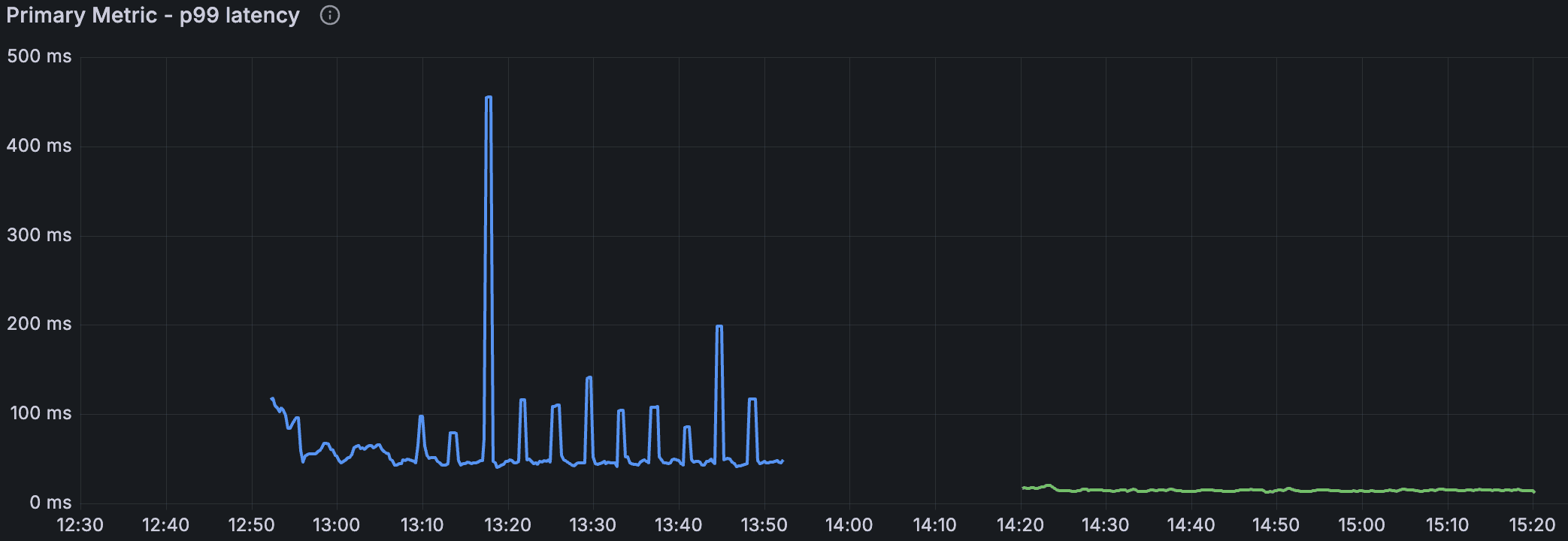
Figure 6: v2.3 performance improvements after introducing indices in a customer environment. Blue is the v2.2 baseline (spiky, with a p99 of 59.8 ms), and the green indexed result is smooth, with a p99 of 15 ms.
Point lookup queries are often how apps and agents look up operational data, like order status or account details, fetching a single row using a SQL WHERE and LIMIT 1.
These were made faster by improvements across the SQL engine, planning and filtering, results cache, and Cayenne support for indexes and clustering.
Additional improvements include faster IN execution, reduced data scanned (read-amp) for filtered queries, MCP server upgrade to the latest stateless spec, and more.
Cayenne Indexes
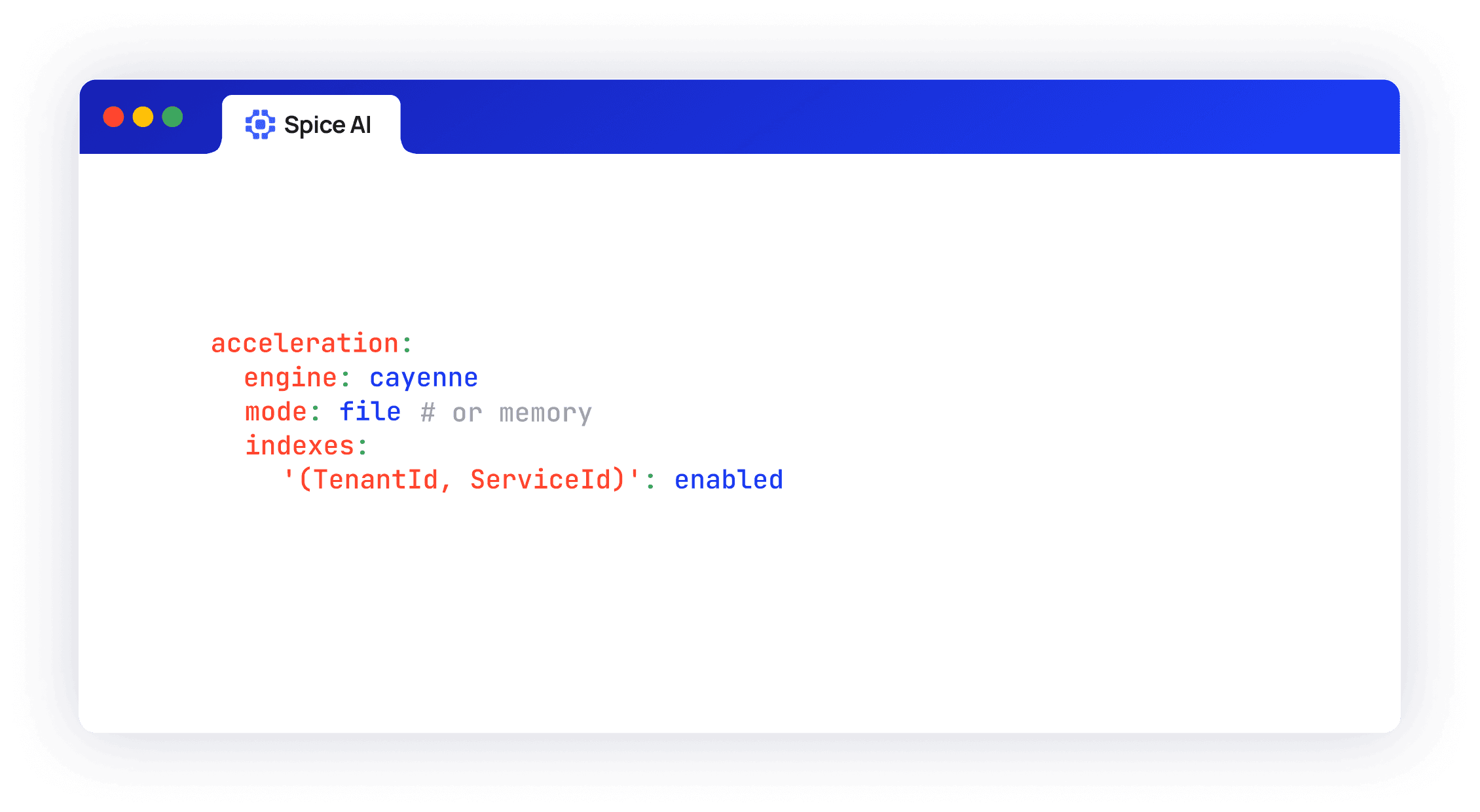
Figure 7: Index configuration
Cayenne now supports configuring secondary indexes in both file and memory modes, so a query that sets every indexed column to an exact value reads the matching rows directly instead of scanning files. On a 2M-row table with 16 clients, adding an index to a unique key cut p99 latency from 34.5 ms to 3.4 ms and raised throughput from about 1.6K to 24K queries per second.
Cayenne docs. For background on the accelerator, see Introducing Spice Cayenne.
Clustering across the warm and data lake tiers
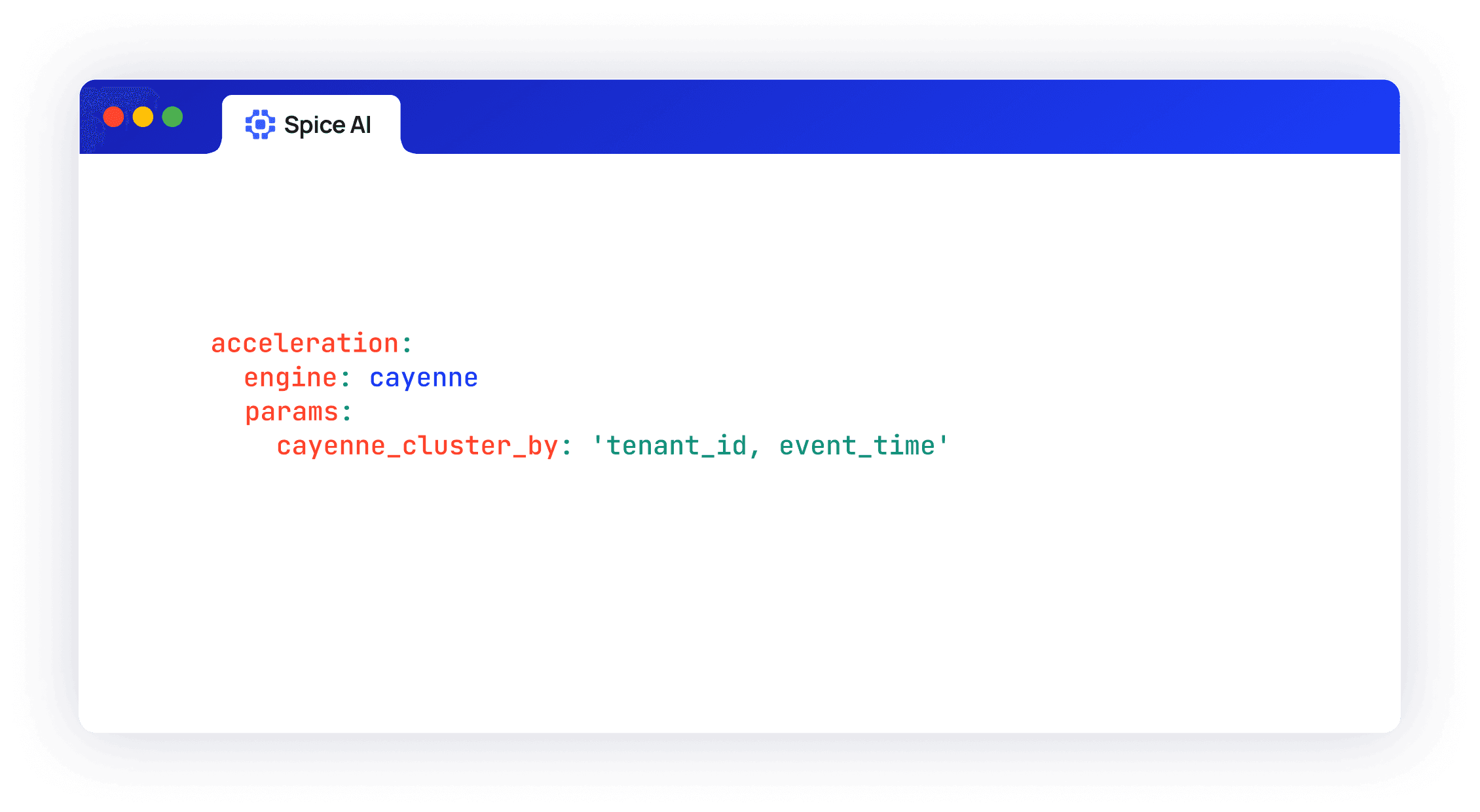
Figure 8: Cluster configuration
Cayenne skips reading data using min/max statistics kept for each file and segment inside a file, when related rows sit together. When rows land in arrival order, every file covers nearly the full range of values, so a filter ends up reading most of the table.
The new cayenne_cluster_by parameter groups related rows into the same files across both the warm and data lake tiers, so filters on clustered columns read fewer files. Cayenne orders rows along a Hilbert curve across one or more columns; rows with similar values in clustered columns end up in the same files and segments. Lookup queries and range queries can skip more files and segments and process less data.
Cayenne clustering release notes
Additional Performance Improvements
Spice now reads fewer files, decodes fewer columns, and plans repeated queries once:
Large IN lists up to 198x faster. Filters like WHERE id IN (…) with thousands of values used to check every row against every value. Cayenne now builds the list into a set once and checks each row against it in a single pass. It also skips any file whose value range can't contain a match. In the benchmark, a 32,768-value list over 1M rows went from 44.57 s to 225 ms.
Selective queries read 45-58% less data. Cayenne used to prepare readers for every projected column before it confirmed whether any rows matched. It now waits for the filter result and skips sections of the file with no matches, so a query decodes only the data it returns. Point lookups used 53% less CPU per query.
Reusable parameterized query plans. For access patterns that send the same query repeatedly with different values, the plan cache used to be planned separately for each value. The plan cache now stores one plan per SQL statement and binds the values at run time. Use cases that send the same query shape with different values skip planning after the first run, and point-lookup p99 fell 31.7%.
Additional runtime updates
- MCP Server Upgrade: Spice now supports the 2026-07-28 stateless MCP server spec.
- Cayenne memory-mode DML:
DELETE,UPDATE, andINSERTnow work on in-memory Cayenne accelerations. - Faster cache hits: In cache-key SQL mode, the runtime now checks the results cache as soon as a request arrives and returns hits without planning the query. Cache-hit time fell 50–52% over HTTP and 44–48% over Flight SQL, and CPU per request fell up to 61%.
- Faster queries after a full refresh: Refreshed tables are now written in distinct key ranges, so filtered queries read fewer files. In a lab test with lookup keys in scrambled order, p99 fell from about 5 s to 66 ms. Tables that set sort_columns are now sorted on every full refresh as well.
- Caching accelerations. New
caching_max_sizeandcaching_max_itemssettings cap what a caching acceleration holds. Eviction now keeps up under sustained ingestion. - Federation improvements:
- Improved SQL translation and function handling for accelerated and federated datasets.
- More BigQuery query shapes run as a single remote job, including recursive CTEs, correlated subqueries, and window aggregates.
- Google Models on Vertex AI: A
from: googlechat or embedding model now authenticates as a GCP service account against Vertex AI. - Check out the v2.3.0, v2.3.1, and v2.3.2 release notes for more details.
Looking forward to seeing you on The Spice Rack Livestream next week and we'll be back at the end of October with the next Spice Cloud Update. To try these features, compare Spice Cloud plans and pricing. Join us in the Spice Community Slack to follow along with the latest news or if you have any questions!


